User's Manual • 3-18
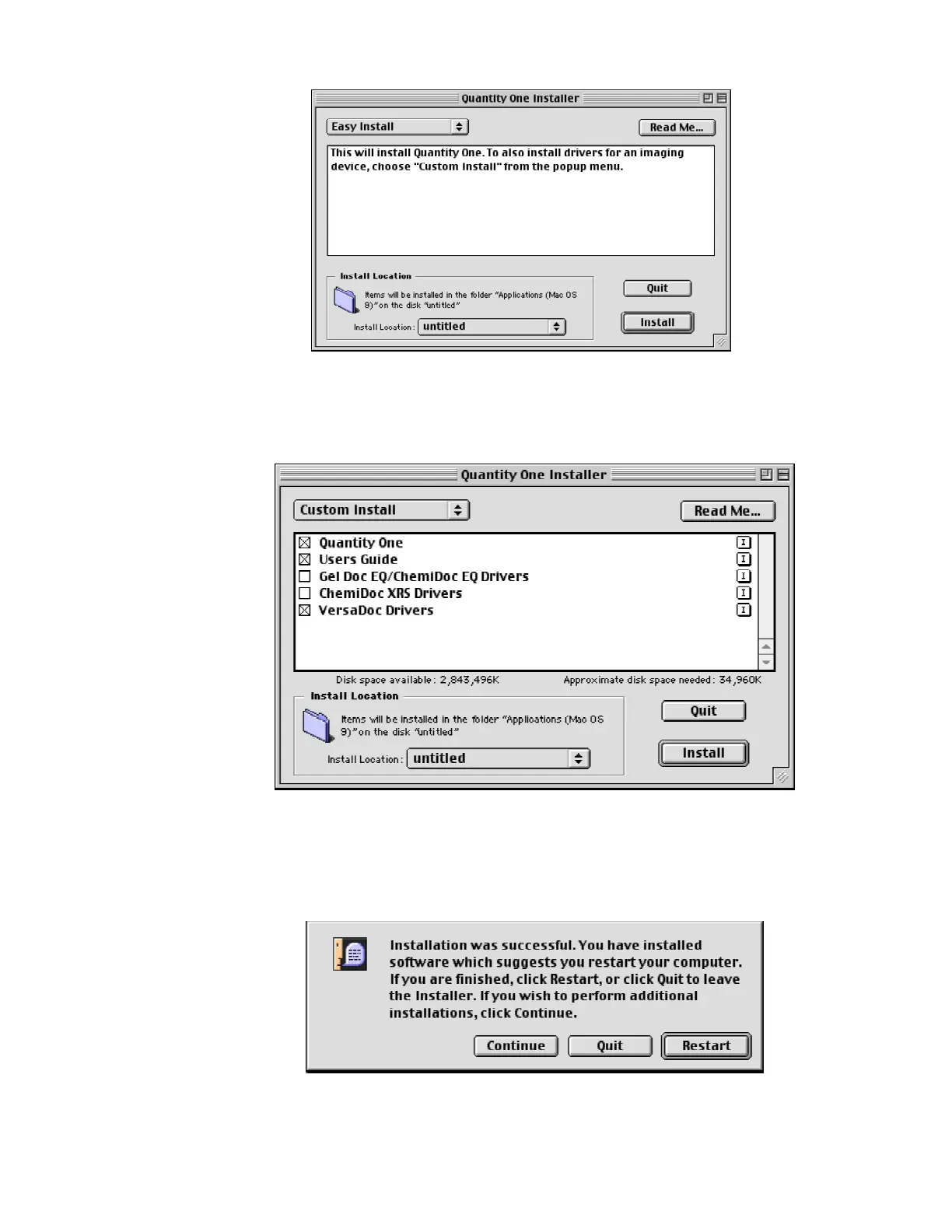
i. Choose custom install from the pulldown menu in this window and click on
“INSTALL” The following window will open.
j.
Depending upon the Imaging device you are installing, click on the desired
Imager you want to install and then click on “Install”. The drivers will get loaded
and at the completion of the installation the following window will open


 To Next Page