User's Manual • 4-2
4.3 Detailed Operating Procedures
4.3.1 Opening the Acquisition Window
After starting your computer, open the Quantity One acquisition and analysis program by
double clicking on the Quantity One icon.
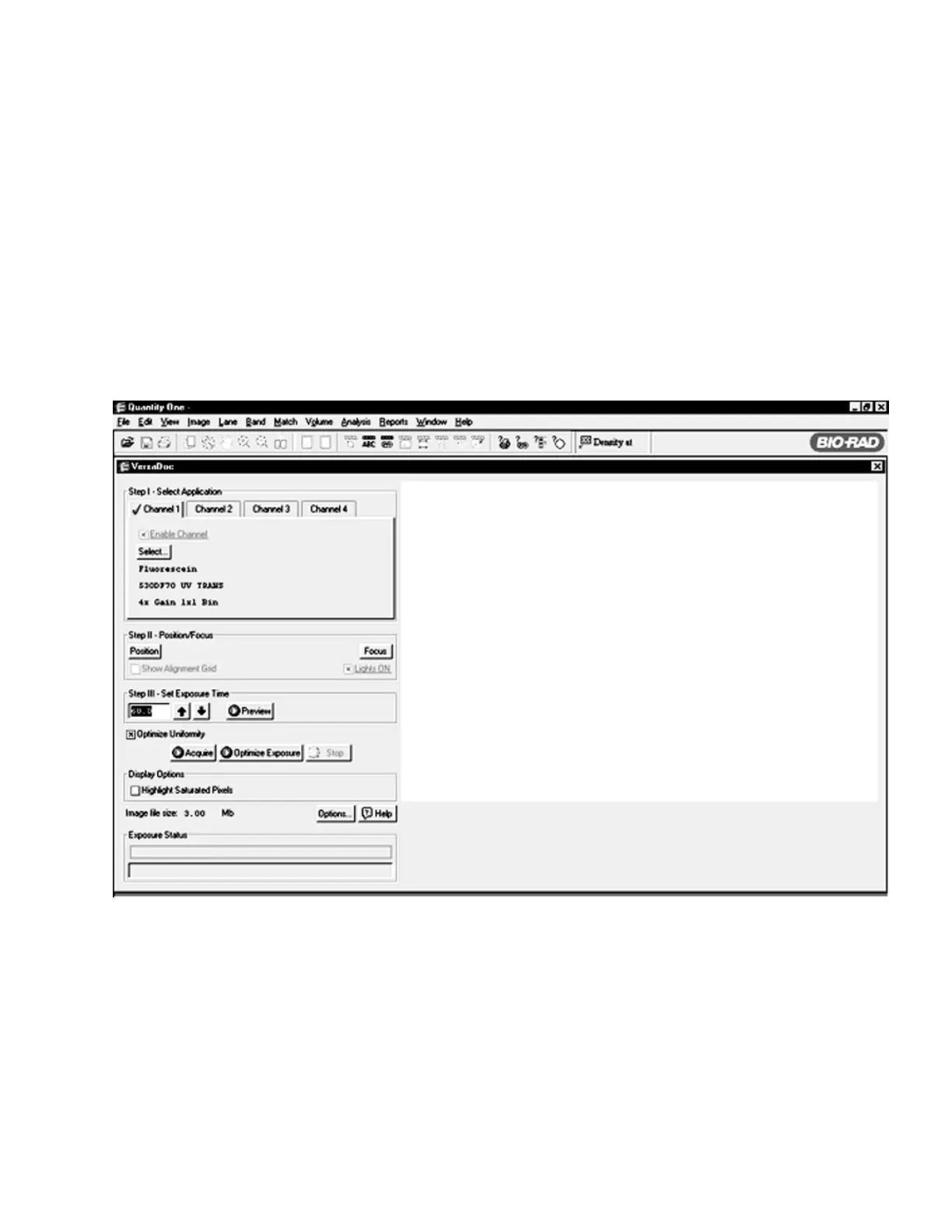
From the FILE menu select VERSADOC to open the instruments acquisition window. The
following window will open on the screen.
Note: If the computer cannot establish communications with the VersaDoc a message will indicate this and
give the user the option of entering a simulation mode.
Figure. 4.1. VersaDoc acquisition screen in Quantity One.


 To Next Page