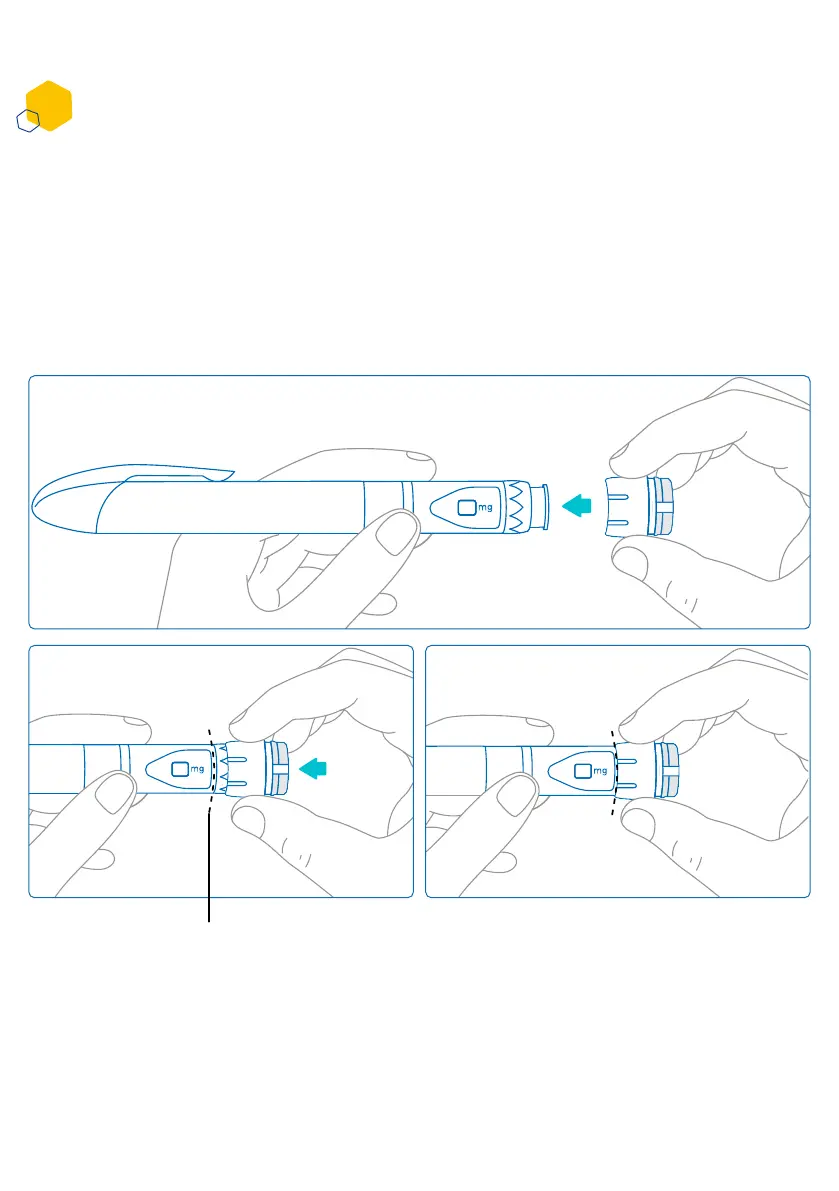
Placing smartdot™ on your aluetta™ pen
1. Hold the aluetta™ pen in one hand, so that you can see the aluetta™ dose knob.
2. In your other hand, hold the smartdot™ transmitter by the dial wheel.
3. Place the transmitter onto the aluetta™ dose knob and push the dial wheel down
until the aluetta™ knob is completely covered by smartdot™, and you cannot push
anymore.
Do not hold or push the injection button when placing it onto the aluetta™ pen.
smartdot
TM
transmitter should
cover the pen button entirely
Part 5: Preparing
D
10



 To Next Page