What should I do?
2h
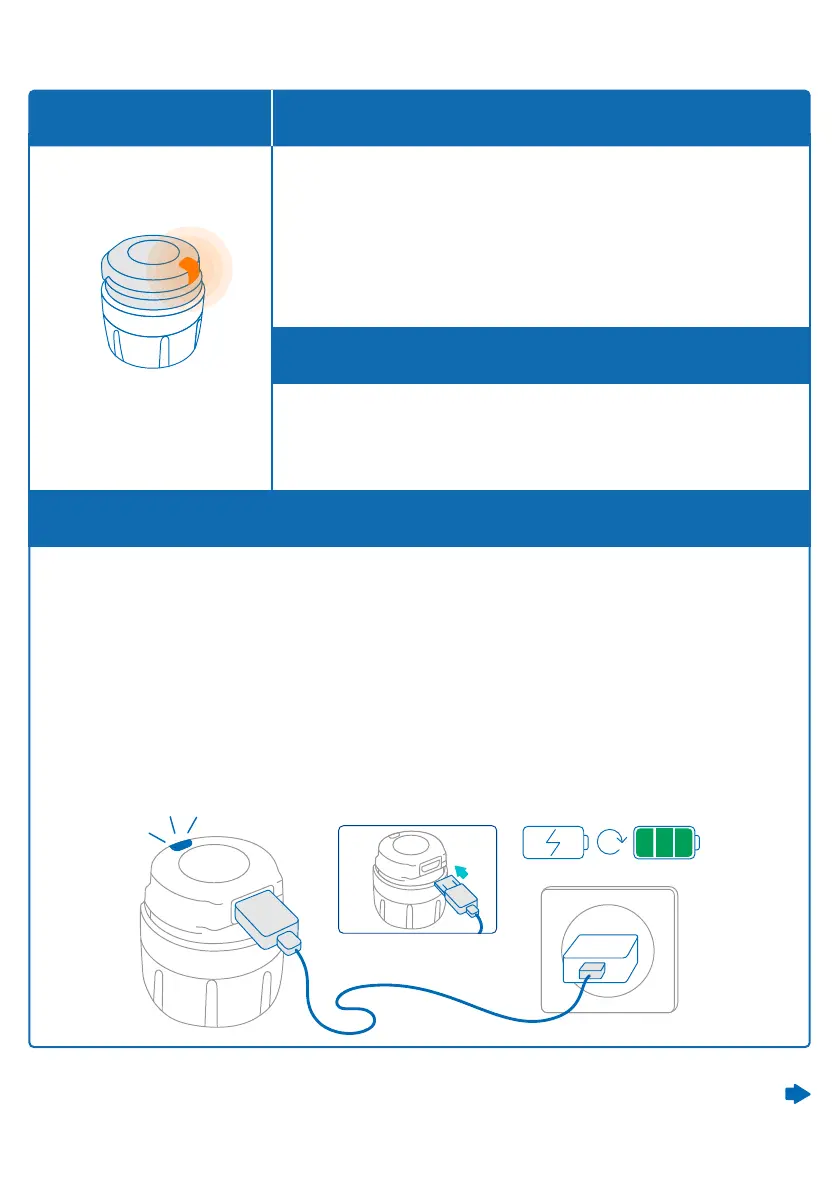
The smartdot™ battery is low.
It needs to be charged.
The orange light can appear:
• When the button is pressed, and the battery is low
• When the button is released at the end of an injection
and the battery is low
What do I see? When does this light signal appear?
What does it mean?
Orange light
B. Charge your smartdotTM transmitter
1. Connect it to the supplied USB cable.
2. Connect the cable to a powered USB wall charger.
3. During charging, smartdot™ will display a blinking blue light. A complete
charge can take up to 2 hours.
4. When the transmitter is fully charged, the blinking blue light will disappear,
and you can remove the charging cable.
Continued on the next page
Part 9: Troubleshooting guide
21



 To Next Page