www.biopac.com 3
MP150 Symbology
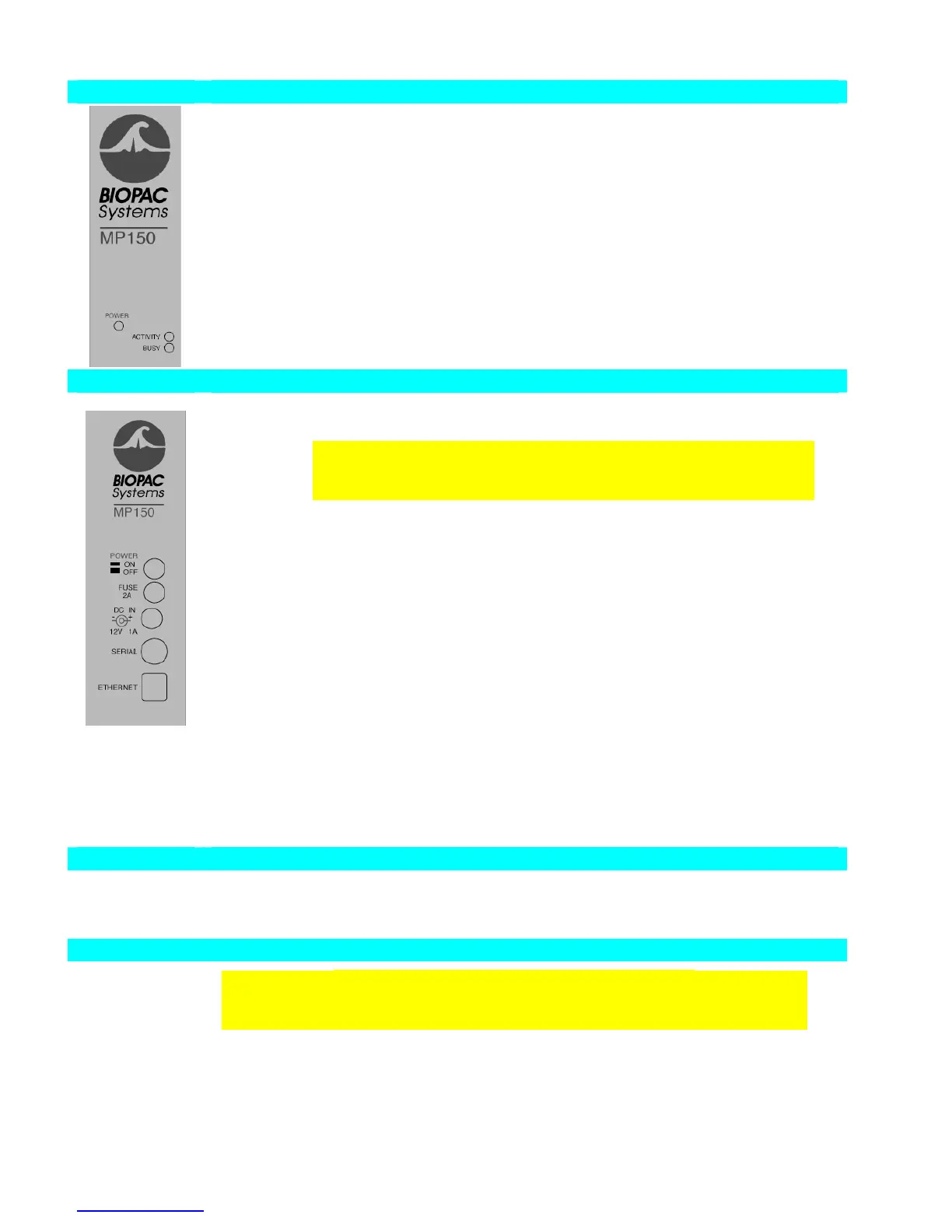
Front panel
See “Light Status” section for functionality details.
POWER Green light Indicates MP150 Power status.
ACTIVITY Amber light Indicates data traffic to or from MP150— similar to
Hard Disk activity light on any personal computer.
BUSY Green light Indicates MP150 data acquisition.
Back panel
Power ON Push in to power up the MP150
OFF Pop out to cut the flow of power to the MP150
IMPORTANT! The MP150 does not have a “Hardware Reset”
switch like your personal computer does. To reset the MP150 for any
reason, just click the power switch twice.
Fuse 2A 2 Amp fast-blow fuse holder; the maximum capacity of the fuse is 2 Amps.
To remove the fuse, use a screwdriver to remove the fuse cover,
which is located below the word Fuse.
DC Input Use the DC Input to connect a battery, AC/DC converter or other power
supply to the MP150.
The MP150 requires 12 VDC @ 2 Amps
The receptacle can accept a “+” (positive) input in the center of the
connector and a “−” (negative) input on the connector housing.
Serial port The MP150 can connect to the computer via a serial port, located just below
the word Serial (this connection is not normally used).
Uses a standard MINI DIN 8 connector.
Should only be used to connect the MP150 to a PC (via USB1W) or
Mac (via USB1M).
Ethernet The MP150 connects to the computer via a serial port, located just below
the word Ethernet.
Uses a standard RJ-Ethernet connector (10 base T).
Side panel
Module
connections
The two connector inputs are designed to connect directly to the UIM100C.
Analog signals are transmitted through the 37-pin connector (upper right side)
Digital signals are transmitted through the 25-pin connector (lower-right side)
Bottom
Firmware
Rollback Switch
IMPORTANT! This is NOT A RESET SWITCH
The Firmware Rollback Switch is located on the bottom of the MP150 unit and is
recessed to prevent accidental activation—it is NOT A RESET for the MP150 unit.
Warning! Activation of the Firmware Rollback Switch will cause the MP150 unit to
operate under the previous version of firmware loaded into the unit. Refer to Appendix F
of the AcqKnowledge Software Guide for procedural details.



 To Next Page