NIBP100E Quick Start 3 www.biopac.com
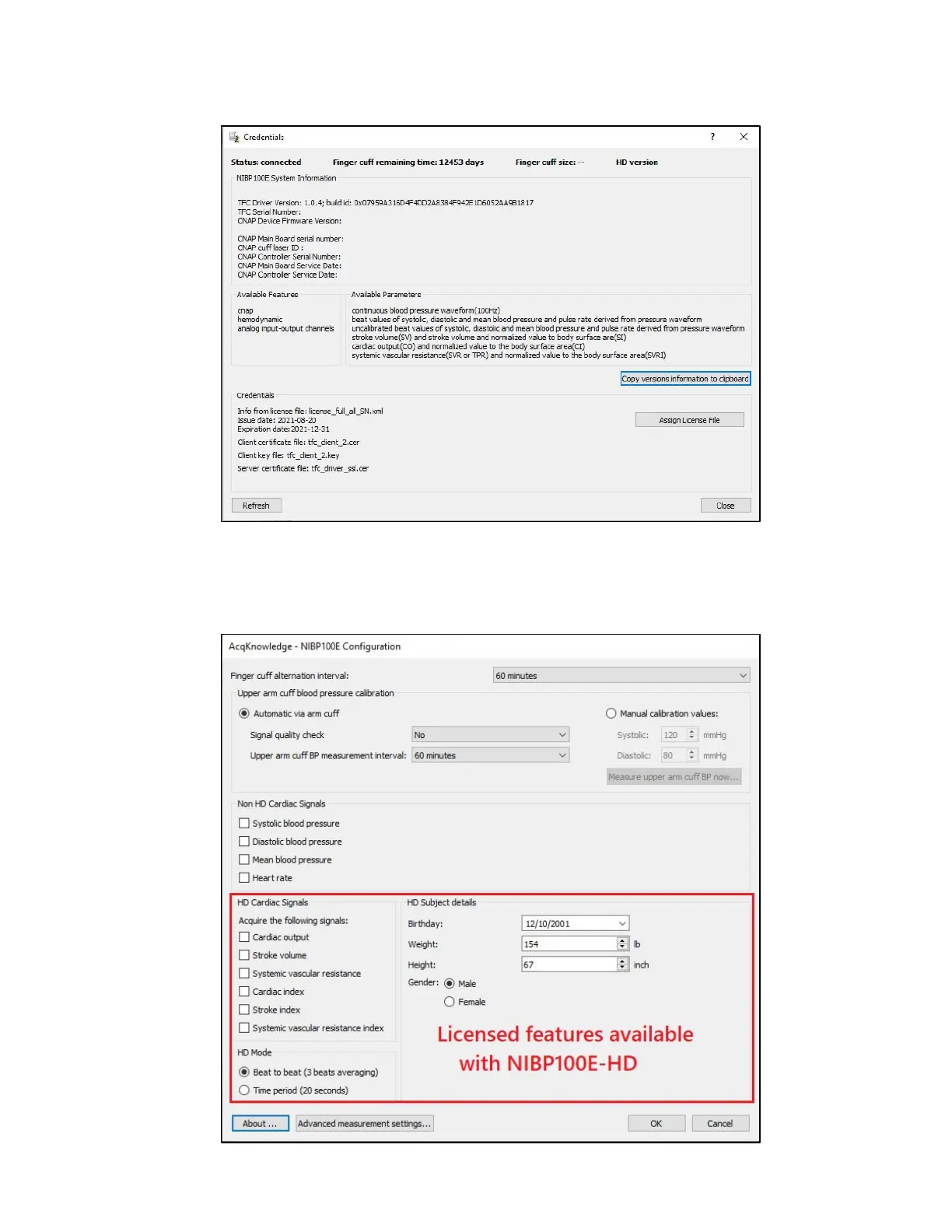
2. Check the license version and assign the correct license by clicking the About button at the bottom of the
Configuration window to open the Credentials window. From here the user can assign a license file or copy version
information to their clipboard.
Credentials window
3. If the correct license is installed, close the About dialog box, which will return the user to the module setup window.
Depending on which license has been installed, the window will display checkboxes for the four (4) non-HD cardiac
channels or the four non-HD channels plus six (6) HD cardiac channels.
Configuration window


 To Next Page