EasyManua.ls Logo

BIOS WEATHER 315BC - User Manual

BIOS WEATHER 315BC
7 pages
Print Icon
To Next Page IconTo Next Page
Loading...
Project Type
Instructions
Date: February 20 2020
Customer: Thermor Ltd
Job Number: TH1738
Item Number: 315BC
Designer: Alex Vranjesevic
PO: 24568-00
Revision: A
Artwork is not to be amended or scaled. If any changes
are required please send through Thermor oce with
instructions, and we will amend here and resend artwork
through. PLEASE RETURN WITH SIGNATURE
Contact: Graphic’s Department
graphics@thermor-ins.com
Colour Breakdown
Reason For Project:
New Item:
New Branding:
Design Update:
N/A: X
UPC (For Reference Only)
Indoor/Outdoor
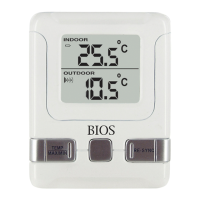
Wireless Thermometer

Questions and Answers

  • J
    Jordan JohnsonAug 5, 2025
    Why is my BIOS WEATHER 315BC Thermometer not receiving outdoor temperature?
    • P
      Philip MillerAug 5, 2025
      If your BIOS WEATHER Thermometer isn't receiving the outdoor temperature, several factors could be at play. First, ensure that the monitor or remote sensor is at least 1.2 meters (4 feet) away from potential sources of interference like computer monitors or TVs. Metal window frames can also interfere, so avoid placing the monitor on or near them. Other electrical products operating on the same 433MHz frequency, including neighbors' devices, can disrupt the signal. Also, signals from household devices like doorbells or home security systems may cause temporary interference. If you've addressed these factors and still have no reception, try resetting all units.
  • J
    Jeremy MoralesAug 15, 2025
    What to do if my BIOS WEATHER 315BC Thermometer is not receiving the outdoor temperature?
    • C
      Christine WilliamsAug 15, 2025
      To resolve issues with your BIOS WEATHER Thermometer not receiving the outdoor temperature, consider these steps: Check that the distance between the monitor or remote sensor is at least 1.2 meters (4 feet) from any interfering sources such as computer monitors or TV sets. Make sure the monitor is not placed on or near metal window frames. Avoid using other electrical products that operate on the same frequency (433MHz). Check for nearby neighbors using devices that may interfere. Be aware that signals from other household devices may cause temporary reception issues. If none of these steps work, all units will have to be reset.
  • J
    Jordan PittmanAug 25, 2025
    How to fix outdoor temperature not received on BIOS WEATHER 315BC?
    • A
      Alyssa MuellerAug 25, 2025
      If your BIOS WEATHER Thermometer is failing to receive the outdoor temperature, start by checking the distance between the monitor and remote sensor, ensuring they are at least 1.2 meters (4 feet) away from devices like computer monitors or TV sets that could cause interference. Also, make sure the monitor is not placed on or near metal window frames. The use of other electrical products operating on the 433MHz frequency may cause interference. Consider also that neighboring electrical devices and signals from household devices, such as door bells and home security systems, may temporarily interfere. If problems persist, try resetting all units.

Summary

Monitor and Sensor Overview

Monitor Components

Identifies the display elements and buttons on the main indoor monitor unit.

Sensor Components

Identifies the transmission button and channel switch on the remote outdoor sensor.

Device Care and Battery Usage

Care of the Device

Guidelines for maintaining the device, avoiding damage from extreme conditions or improper handling.

Correct Usage of Batteries

Instructions on mixing and replacing batteries to ensure optimal performance and prevent damage.

Setup and Initial Pairing

Optimizing Performance and Troubleshooting

Transmission Range and Placement

Information on optimal positioning and factors affecting the wireless transmission range between devices.

Troubleshooting Common Issues

Guidance on resolving common issues like loss of outdoor temperature signal and interference.

Advanced Features and Settings

Displaying Different Channels

How to select and view data from multiple remote sensors on the monitor display.

Installing the Monitor and Sensor

Instructions on how and where to place the indoor monitor and outdoor sensor units.

Maximum and Minimum Memory

How to view and clear the recorded maximum and minimum temperature readings.

Temperature Unit Selection

Instructions on changing the temperature display unit between Celsius and Fahrenheit.

Product Specifications and Regulatory Information

Technical Specifications

Details on temperature ranges, checking intervals, and power requirements for monitor and sensor.

Regulatory Information

Includes FCC and Industry Canada statements regarding device compliance and operation.

Warranty and Support Information

BIOS WEATHER 315BC Specifications

General IconGeneral
TypeDigital Thermometer
Fever AlarmYes
WaterproofYes
Accuracy±0.1°C (±0.2°F)
Display TypeLCD
Measurement SiteOral, Axillary, Rectal
MemoryLast reading
Temperature Range32°C to 42.9°C (89.6°F to 109.2°F)
Resolution0.1°C / 0.1°F
Power Source1 x LR41 battery

Related product manuals