Need help?
Do you have a question about the BIOS Defender 500 Series and is the answer not in the manual?
Lists the items included with the Defender device.
Charging, installing, and monitoring the Defender battery.
Steps to turn the Defender device on and off.
How to attach the Defender to a device using ports and tubing.
Explains the components of the Defender's display screen.
Guidance on navigating through the Defender's operational menus.
Customizing Defender settings through the setup menu.
Sets average measurements and time delay.
Configures flow, pressure, and temperature units.
Sets the current time and time format.
Sets the current date and date format.
Selects preferred measurement mode for initial startup.
Resets the Defender to its factory default settings.
Configures the data port interface for Optimizer or CalCheck.
Controls display data density and font size on Defender 520.
Explains the Defender Leak Test for internal integrity.
Explains "Out of Range!" warning and how to clear it.
Details single, burst, and continuous measurement modes.
Details the Bios Optimizer Collect light software for data capture.
How to set up the Defender for SKC Airchek calibration.
Information on upgrading the Defender's firmware.
Recommends annual verification by an accredited laboratory.
Guidelines for packaging and shipping the Defender safely.
Guidelines for storing the Defender for extended periods.
Lists available Defender models and their flow ranges.
Details accuracy, time per measurement, and units.
Provides dimensions, weight, configuration, and port details.
Lists the default settings configured at the factory.
Defines the warranty period and limitations of Bios International Corporation.
Addresses common operational issues and provides solutions.
Advice on preventing leaks and handling failed leak tests.
Explains temperature increases and piston return problems.
Defines Dead Volume and its impact on measurement accuracy.
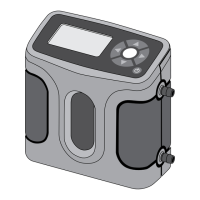
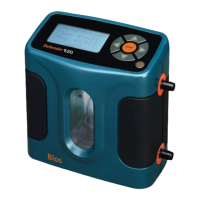
The Defender™ 500 Series is a user-friendly device designed for measuring gas flow, with specific models offering additional temperature and pressure measurement capabilities. It utilizes proven DryCal® technology to ensure accurate volumetric gas flow measurements.
The Defender 500 Series measures volumetric gas flow. The Defender 510 measures volumetric gas flow with an accuracy of +/- 1% of reading. The Defender 520 model extends this functionality by also measuring gas flow temperature and pressure, with the same +/- 1% accuracy for volumetric gas flow. These instruments are produced in an accredited laboratory in Butler, N.J.
The device features a backlit graphical LCD display. Four directional arrow buttons and an ENTER button on the control panel allow navigation through operational menus. Highlighted selections indicate the current menu location. Angle brackets (<...>) denote multiple options, which can be cycled using left/right arrow buttons. Changes are saved by highlighting CONFIRM and pressing ENTER.
The Setup menu allows customization of the Defender. It includes eight submenus:
The Defender includes a data port for digital interface with Bios Optimizer Software or the SKC CalCheck® Interface. Bios Optimizer Collect light captures flow data to a Microsoft Excel® spreadsheet. Upgraded versions offer more features like hot key commands and instrument libraries. Firmware upgrades are available online via the Data Port.
The Defender Leak Test verifies internal integrity and alerts to internal leaks. It's recommended as an intermediate quality control check.
If the measured flow is outside the Defender's specified range, an "Out of Range!" warning appears. Reduce or disconnect the flow. Select RESET to clear the last measurement once the flow is within range.
Bios recommends annual verification by an ISO 17025-accredited laboratory to ensure measurement accuracy due to environmental factors, product wear, sensor drift, or damage.
The Bios Defender 500 Series is warranted to the original end user for one year from the purchase date against defects in materials and workmanship under normal use. The battery is warranted for six months. Bios International Corporation's obligation is limited to repair or replacement (at their option) of defective parts, provided the product is returned prepaid.
The warranty does not cover damage from improper electrical voltages/currents, defacement, misuse, abuse, neglect, accident, fire, flood, terrorism, acts of God, use in violation of instructions, altered/removed serial numbers, or repairs by unauthorized personnel. This warranty is in lieu of all other warranties, expressed or implied, including merchantability and fitness for a particular purpose. Bios is not liable for special, incidental, or consequential damages.
 General
| Brand | BIOS |
|---|---|
| Model | Defender 500 Series |
| Category | Test Equipment |
| Language | English |

 To Next Page