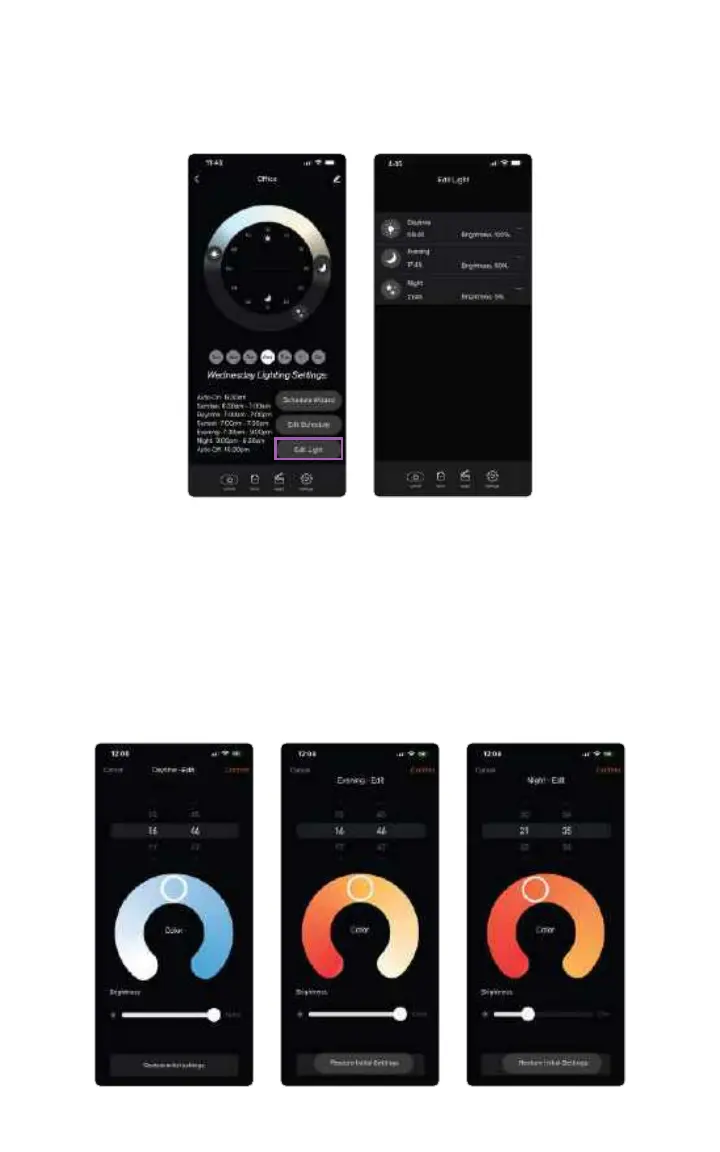
How to Change Brightness and Color
You can edit the light’s brightness by selecting the Edit Light button. Here you
can edit daytime mode, evening mode and night mode.
Daytime Edit: Default daytime mode is full brightness and blue skies. However,
you can congure your day mode to have less blue sky and/or less brightness, if
you like.
Evening Edit: Evening mode default is a calming amber. However, you can
congure to be brighter white or an even more circadian friendly red light. You
can also adjust the brightness.
Night Edit: Night mode is a circadian friendly red light. However, you can
congure it to be more amber color.
14



 To Next Page