Setting Up Your SKYVIEW Schedule
Schedule Wizard
The rst time you use the app it will unlock the schedule wizard.
There are three (3) options for setting up your initial SKYVIEW schedule.
Option 1
Synchronize your SKYVIEW to the local outdoor light schedule.
• Best for matching indoor sunrise/sunset times with nature
Option 2:
Synchronize your SKYVIEW to your personal schedule via quick setup.
• Best for quick setup when matching with your sleep/wakening schedule
Option 3
Synchronize your SKYVIEW to your personal schedule via a detailed setup.
• Recommended for shiftwork, weekend sleep-ins and exible schedules that change
during the week
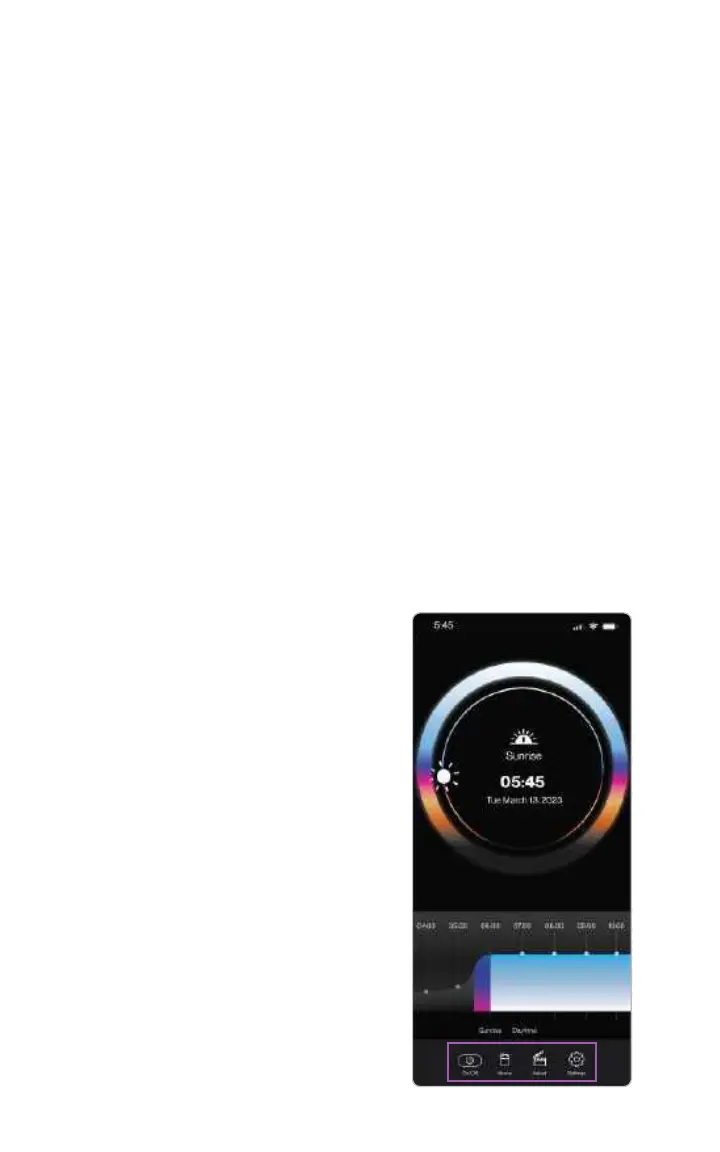
Home Screen Overview
The home screen tells you the current time and date, the current light mode of
your SKYVIEW, as well as what’s coming next in your schedule.
On/O
This allows you to turn the lamp on or
o from the app.
Home
This brings you to the main screen.
Adjust
This allows you to override the current
schedule for a set amount of time.
Settings
This allows you to change the
schedule or any of the light scenes.
08



 To Next Page