Setting Up Your SKYVIEW Schedule
Account Changes
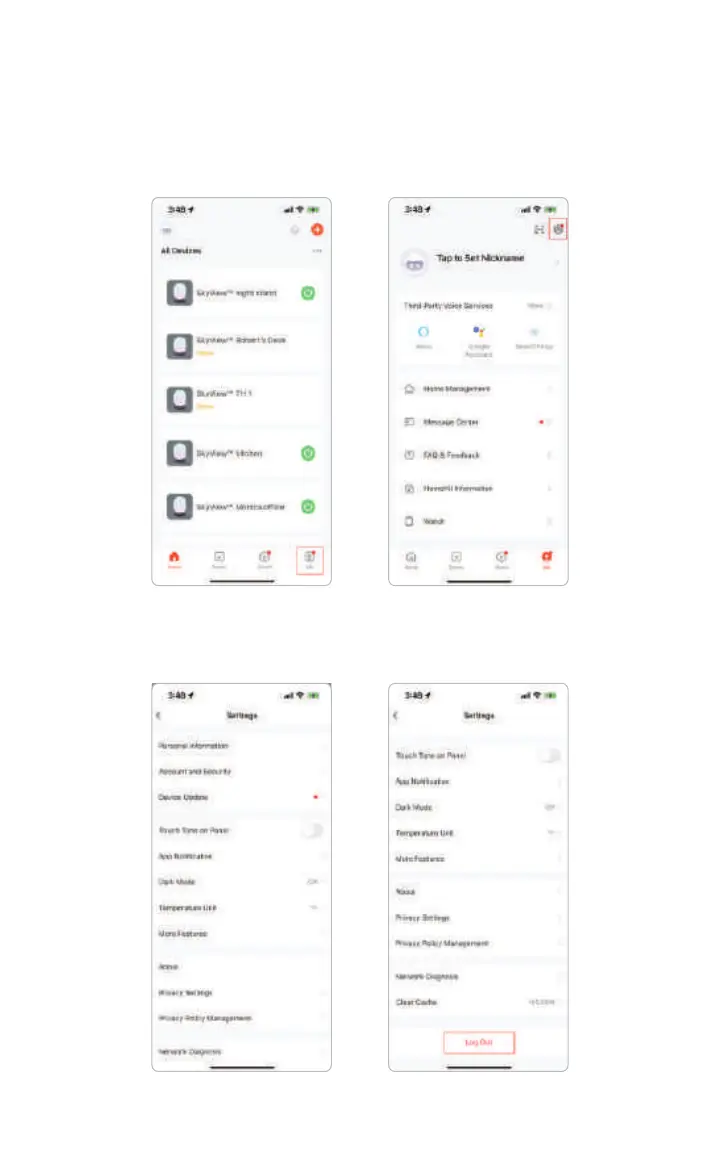
You can change accounts by going to the home screen. From here, select “Me”,
then select the settings icon in the upper right corner.
From the settings menu, scroll down to the bottom, where you’ll nd Log out.
After you log out, you’ll be redirected to log-in screen.
09
SkyView™ is a registered trademark ©2023 of Biological Innovation and Optimization Systems, LLC. | Skyviewlight.com



 To Next Page