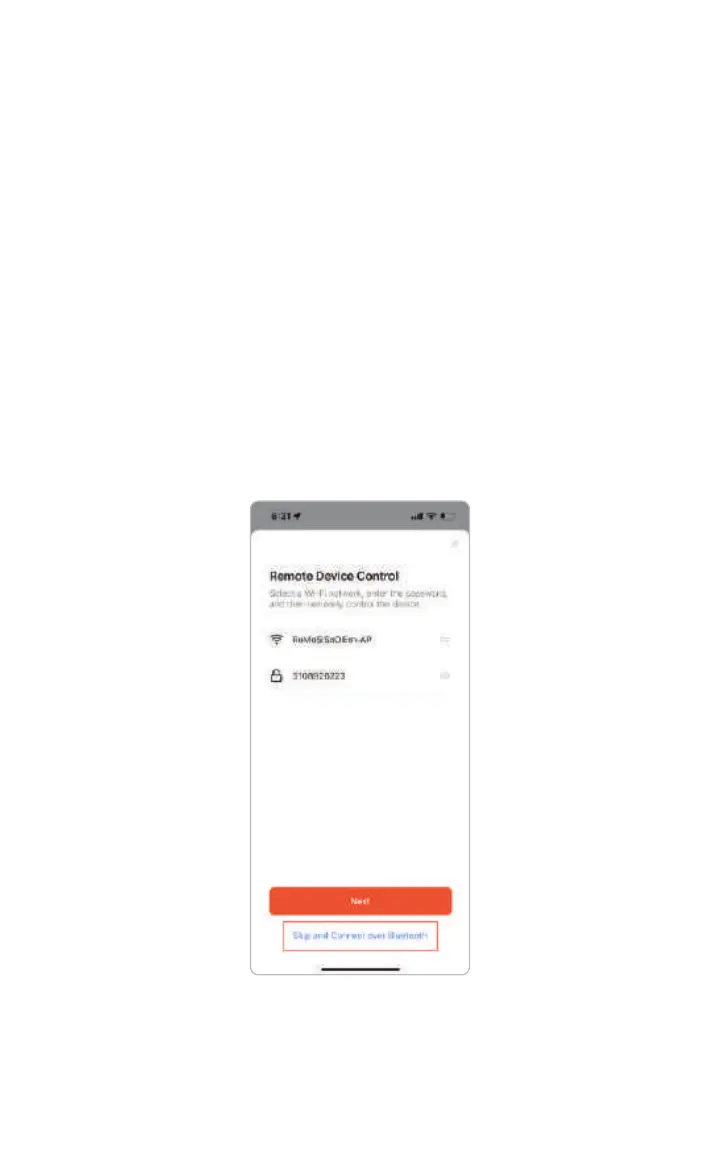
Bluetooth Only Setup
You also have the option to not connect to Wi-Fi, and control SKYVIEW via
Bluetooth-only. You do this by scrolling down and tapping on the bottom where it
says skip and connect over Bluetooth.
Please note, setting up Bluetooth-only operation is not the recommended
setting. Using Bluetooth only means that SKYVIEW will not adjust automatically
for daylight savings and will not automatically make any software updates. You
can only change this setting by ‘forgetting’ the SKYVIEW device and initiating
setup from the beginning.
a.Select SSID and enter Password and push Next
b.When SKYVIEW has been added you can edit the name of the SKYVIEW by
selecting the edit icon.
c. From the edit screen, you can modify Name and assign to a room within your
home. When you’re done select Finish and Done to complete the app set-up.
07
SkyView™ is a registered trademark ©2023 of Biological Innovation and Optimization Systems, LLC. | Skyviewlight.com



 To Next Page