EasyManua.ls Logo

Biostar X370GTN - User Manual

Biostar X370GTN
72 pages
Print Icon
To Next Page IconTo Next Page
Loading...
FCC Informaon and Copyright
This equipment has been tested and found to comply with the limits of a Class B digital device,
pursuant to Part 15 of the FCC Rules. These limits are designed to provide reasonable protecon
against harmful interference in a residenal installaon. This equipment generates, uses, and can
radiate radio frequency energy and, if not installed and used in accordance with the instrucons,
may cause harmful interference to radio communicaons. There is no guarantee that interference
will not occur in a parcular installaon.
The vendor makes no representaons or warranes with respect to the contents here and
specially disclaims any implied warranes of merchantability or tness for any purpose. Further
the vendor reserves the right to revise this publicaon and to make changes to the contents here
without obligaon to nofy any party beforehand.
Duplicaon of this publicaon, in part or in whole, is not allowed without rst obtaining the
vendors approval in wring.
The content of this users manual is subject to be changed without noce and we will not be
responsible for any mistakes found in this users manual. All the brand and product names are
trademarks of their respecve companies.
Dichiarazione di conformità sinteca
Ai sensi dell’art. 2 comma 3 del D.M. 275 del
30/10/2002
Si dichiara che questo prodoo è conforme
alle normave vigen e soddisfa i requisi
essenziali richies dalle direve
2004/108/CE, 2006/95/CE e 1999/05/CE
quando ad esso applicabili
Short Declaraon of conformity
We declare this product is complying with the
laws in force and meeng all the essenal
requirements as specied by the direcves
2004/108/CE, 2006/95/CE and 1999/05/CE
whenever these laws may be applied
Question and Answer IconNeed help?

Do you have a question about the Biostar X370GTN and is the answer not in the manual?

Overview

This document describes a BIOSTAR motherboard, models B350GTN and X370GTN, providing comprehensive information on its features, installation, and maintenance.

Function Description

The BIOSTAR B350GTN and X370GTN motherboards are designed to support AMD A-series APUs and CPUs with an AM4 socket, offering a robust platform for building a personal computer. They integrate various components and connectors to facilitate the installation of essential hardware such as the CPU, memory, storage devices, and expansion cards. The motherboards also come with utilities like BIOSTAR BIOS Flasher, BIOSTAR BIOS Update Utility, BIOScreen Utility, eHot-Line, and RACING GT, which enhance system management, customization, and support.

Important Technical Specifications

CPU Support:

  • Socket AM4, supporting AMD A-series APU / CPU.
  • Maximum CPU TDP (Thermal Design Power): 95 Watt.
  • Refer to www.biostar.com.tw for the CPU support list.

Chipset:

  • AMD B350 (B350GTN)
  • AMD X370 (X370GTN)

Memory:

  • Supports Dual Channel DDR4 1866/2133/2400/2667/2933(OC)/3200(OC).
  • 2 x DDR4 DIMM Memory Slots, supporting up to 32 GB Memory.
  • Each DIMM supports non-ECC 4/8/16 GB DDR4 modules.
  • DDR4-2667 only for Ryzen CPU.
  • Refer to www.biostar.com.tw for the memory support list.

Storage:

  • 4x SATA III Connectors (6Gb/s): Supports AHCI & RAID 0, 1, 10.
  • 1x M.2 (32Gb/s) slot: Supports PCI-E & SATA SSD.
  • M.2 (32Gb/s) bandwidth depends on CPU: Ryzen is 32Gb/s; APU & NPU is 16Gb/s.

LAN:

  • Realtek RTL 8118AS.
  • 10/100/1000 Mb/s auto negotiation, Half / Full duplex capability.

Audio Codec:

  • ALC892.
  • 7.1 Channels, High Definition Audio, Hi-Fi (Front).

USB:

  • 1x USB 3.1 Gen2 (10Gb/s) Type-C port (1 on rear I/Os).
  • 1x USB 3.1 Gen2 (10Gb/s) Type-A port (1 on rear I/Os).
  • 6x USB 3.1 Gen1 (5Gb/s) ports (4 on rear I/Os and 2 via internal header).
  • 2x USB 2.0 ports (2 via internal header).

Expansion Slots:

  • 1x PCIe 3.0 x16 Slot (bandwidth is x8 speed when using APU or NPU).

Rear I/Os:

  • 1x PS/2 Mouse / Keyboard.
  • 1x DVI-D Port.
  • 1x HDMI Port.
  • 1x LAN port.
  • 1x USB 3.1 Gen2 (10Gb/s) Type-C Port.
  • 1x USB 3.1 Gen2 (10Gb/s) Type-A Port.
  • 4x USB 3.1 Gen1 (5Gb/s) Ports.
  • 5x Audio Jack.
  • 1x SPDIF_Out.

Internal I/Os:

  • 4x SATA III 6.0Gb/s Connectors.
  • 1x USB 2.0 Header (each header supports 2 USB 2.0 ports).
  • 1x USB 3.1 Gen1 (5Gb/s) Header (each header supports 2 USB 3.1 Gen1 ports).
  • 1x 4-Pin Power Connector.
  • 1x 24-Pin Power Connector.
  • 1x CPU Fan Connector.
  • 1x System Fan Connector.
  • 1x Front Panel Header.
  • 1x Front Audio Header.
  • 1x Clear CMOS Header.
  • 2x 5050 LED Headers.

Form Factor:

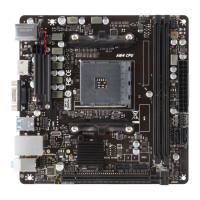
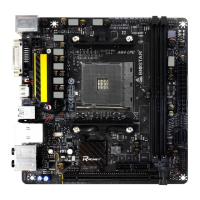
  • Mini-ITX Form Factor, 170 mm x 170 mm.

OS Support:

  • Windows 7 (64bit) / 10 (64bit).
  • Biostar reserves the right to add or remove support for any OS with or without notice.

Usage Features

Installation Guidelines:

  • CPU Installation: Detailed steps for installing the CPU into the AM4 socket, including proper alignment using the white and gold triangles, and securing the CPU with the lever.
  • Heatsink Installation: Instructions for installing two types of heatsinks (Type A and Type B), emphasizing correct placement and connection of the fan cable to the CPU fan connector.
  • Cooling Fan Connection: Guidance on connecting cooling fans to CPU_FAN1 and SYS_FAN1 headers, noting that red wires are positive (pin #2) and black wires are ground (pin #1).
  • System Memory Installation: Steps for installing DDR4 modules, including unlocking retaining clips, aligning the DIMM notch, and firmly inserting the module until clips snap into place. Information on dual-channel memory installation and compatibility for Ryzen CPUs is provided.
  • Expansion Slots: Description of the PCIe 3.0 x16 slot and M.2 (Key M) slot, including bandwidth details and installation of M.2 SSD modules.
  • Expansion Card Installation: General steps for installing expansion cards, such as removing chassis covers, seating the card, securing it, and installing drivers.
  • Jumper & Switch Setting: Explanation of how to set jumpers (close/open) and specific instructions for the JCMOS1 Clear CMOS Jumper to restore BIOS settings.
  • Headers & Connectors: Detailed pin assignments for ATX power connectors (ATXPWR1, ATXPWR2), front panel header (PANEL1), chassis speaker header (SPKR1), SATA III connectors, USB 3.1 Gen1 headers (JFRONT_USB3_1), USB 2.0 headers (F_USB1), front audio header (F_AUDIO1), and RGB LED device headers (5050_RGBLED1/2).

Software Utilities:

  • UEFI BIOS Setup: Accessing BIOS settings by pressing during POST.
  • BIOS Update:
    • BIOSTAR BIOS Flasher: Updates BIOS from a file on a hard disk, USB drive (FAT32/16 format), or CD-ROM by pressing during POST.
    • BIOSTAR BIOS Update Utility (through the Internet): Automated updating within Windows, requiring internet connection.
    • BIOSTAR BIOS Update Utility (through a BIOS file): Updates BIOS from a downloaded file within Windows.
  • BIOScreen Utility: Personalizes the boot logo using BMP images.
  • eHot-Line: A utility to collect system information and send it to tech support for problem analysis.
  • RACING GT: An integrated program with several BIOSTAR utilities for simultaneous configuration.
    • System Information: Displays CPU, motherboard, processor, and memory details.
    • SmartEAR: Controls system volume and adjusts impedance settings (Low/High Gain) for headphones.
    • Vivid LED DJ: Adjusts color schemes for MOSFET Heatsink LED and RGB LED devices, offering modes like Normal, ECO, Sport, and various lighting effects (Auto, Permanent, Breath, Shine & Music, Shine).
    • H/W Monitor: Monitors hardware voltage, fan speed, and temperatures (CPU and system).

RAID Functions:

  • RAID 0 (Striping): Data split into blocks and written across multiple drives (minimum 2) for superior I/O performance. Offers increased data throughput but no fault tolerance.
  • RAID 1 (Mirroring): Data stored twice by writing to both a data disk and a mirror disk (minimum 2 drives) for 100% data redundancy.
  • RAID 10 (1+0): Combines RAID 0 and RAID 1, using striping across mirrored sets of disks (minimum 4 drives) for both performance and fault tolerance.

Maintenance Features

Troubleshooting:

  • No Power: Check power cable, replace cable, contact technical support.
  • Inoperative System (Keyboard lights on, hard drives running): Press DIMM firmly into place.
  • System Not Booting from HDD (boots from optical drive): Check disk-to-controller cable, verify drive type in CMOS setup, back up data.
  • System Only Boots from Optical Drive: Back up data, reformat HDD, reinstall applications.
  • "Invalid Configuration" or "CMOS Failure": Review system equipment, ensure correct information in setup.
  • Cannot Boot After Installing Second HDD: Set master/slave jumpers correctly, run SETUP program, select correct drive types, contact drive manufacturers for compatibility.
  • CPU Overheated: If the system shuts down automatically, ensure CPU cooler is evenly placed, CPU fan rotates normally, and fan speed matches CPU speed. To reset, remove power cord, wait, plug in, and boot, or clear CMOS data.

BIOS Update and Backup:

  • The manual provides detailed instructions for updating the BIOS using BIOSTAR BIOS Flasher or BIOSTAR BIOS Update Utility (online or via file), including steps to load optimized defaults after an update.
  • Instructions for backing up the BIOS file using the Backup BIOS button in the BIOSTAR BIOS Update Utility.

Software Installation:

  • The manual guides users to install drivers and software from the provided DVD, ensuring optimal system performance. It also advises on how to proceed if the auto-run function is disabled.

Environmental Information:

  • The manual includes a table detailing the presence of hazardous substances (Pb, Hg, Cd, Cr(VI), PBB, PBDE) in various components, adhering to SJ/T11363-2006 standards and EU ROHS directives.

Safety Precautions:

  • Emphasizes the importance of a dry and stable working environment, disconnecting power before operation, proper grounding to prevent static discharge, avoiding touching motherboard components, and being careful of sharp pins/edges.
  • Warns against leaving loose parts inside the case to prevent short circuits.
  • Advises keeping the computer away from heat, humidity, and water, and maintaining operating temperatures between 0 to 45 degrees Celsius.
  • Includes an anti-static operation rule warning to prevent damage to the motherboard.

Biostar X370GTN Specifications

General IconGeneral
BrandBiostar
ModelX370GTN
CategoryMotherboard
LanguageEnglish

Related product manuals