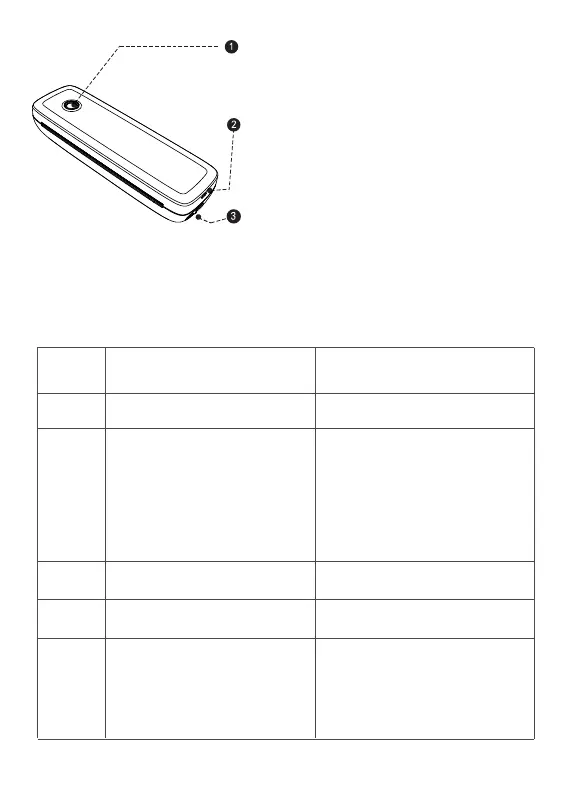
Power key
USB interface
Open key
( Press and hold for 3 seconds to turn on/off )
Light
LED Status
Green
Normal operation
Low electric quantity
Please charge the printer
BT connected success
BT pairing success
Red
Flashing
Red
Flashing
Blue
Blue
Description Troubleshoot
a. Printer head is overheated
b. Charging
c. Top cover open
d. No paper
( It can be connected to a charging bank
or a mobile phone charger )
( At the same time press the left and right
to open the cover and change the paper )
a. Printer will automatically
resume once the printer
headhas cooled down.
b. When fully charged, the
light turns green.
c. Close the top covercor-
rectly.
please close the app
first,reatart the printer,wait
for the blue light to no
longer flash,and then
connect the printer in the
app
BT is initializing or
initialization failed
3


 To Next Page