Driver download
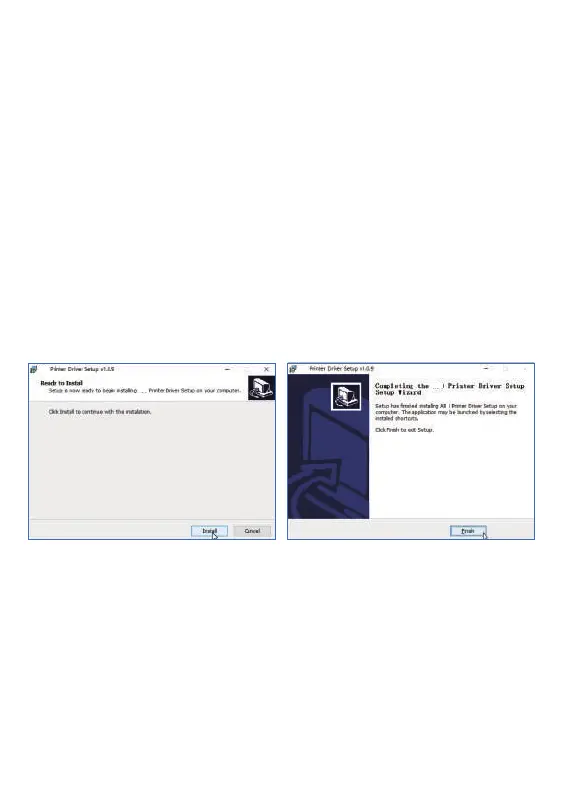
Install the driver for Windows
1. Click the “ Install ” button and wait for
installation
2. After the installation is successful,
click “ Finish ” to exit the interface
Driver download Please download the printer driver
( Window or MAC ) on the official website at:
http://www.luckjingle.com/driverDetail?id=5
Note: Before installing the driver, turn off your computer antivirus
software.the printer needs to be connected to the power supply and
computer, and the power on state.
Turn on the printer, The printer connects to the computer
wia USB, Locate the downloaded
“ L81 Windows Driver ” file and open it.
6
1
1
L81
L81
L81
L81


 To Next Page