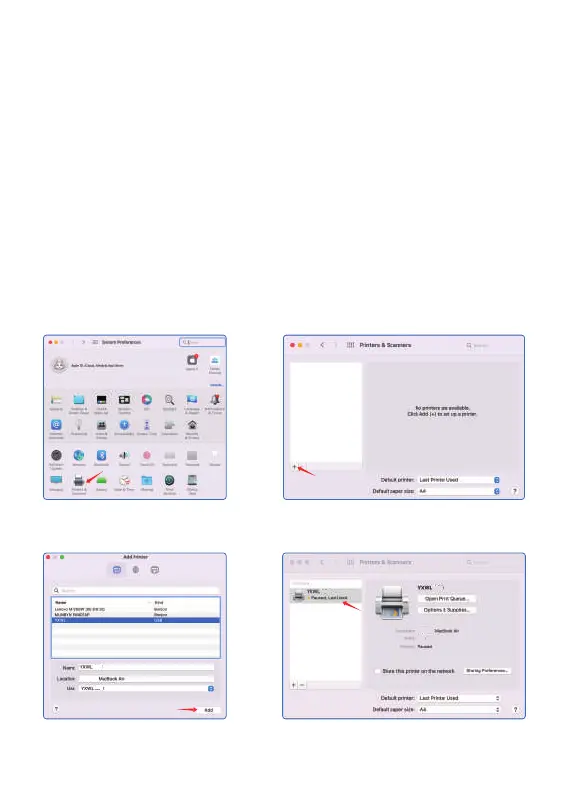
Install the driver for MAC
1. Open the System Preferences,
click on “ Printers & Scanners ”
2. Click here to add a printer, fax or scanner
3. Select YXWL L81 USB,
click " Add " to add the printer
4. As shown in the figure, complete the
printer setup
Turn on the printer, The printer connects to the computer
wia USB, Locate the downloaded
“L81 Windows Driver ” file and open it.
1. Click on “ open ” and continue to install the printer.
Follow the installation tip until you see “ The installation
was successful ”
2. Set the printer as the default mode.Please follow
the steps in the picture tooperate:
1
4
3
Mack
Mack’s
Mack’s
Update Apple ID Settings
7
2
1
1
1
L81
L81
L81
L81
L81
L81


 To Next Page