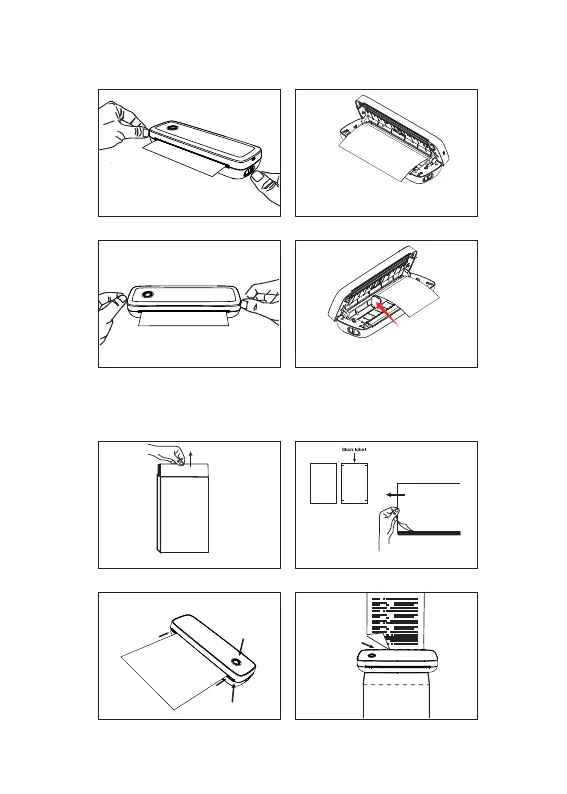
Roll paper installation guide
Foldable paper installation guide
Push the paper limiter against the
edge of the roll
The end of the paper needs to be
exposed to the machine
1. Open cover
3. Closing cap 4. Paper limiter is used
2. Lay down paper
8
1. Unpack
3. Loading paperr 4. Tear paper
2. Take out paperr
Take out the top layer of paper
with the printing side facing up.
Unpack and take out the folded paper.
4.Align the paper with the paper inlet and
insert it unitl it is sucked in and cannot be
pulled out.
2.Long press the power
button for 2 seconds to
trun on/off
1.Make sure that the paper house is
empty and the cover is tightly closed.
3.Face up.
Make sure the
paper is parallel to the
machine,to avoid paper
skew or paper jam
during printing.
Please tear off
along the tear line.
Front side Back side
(printing side) (non-printing side)


 To Next Page