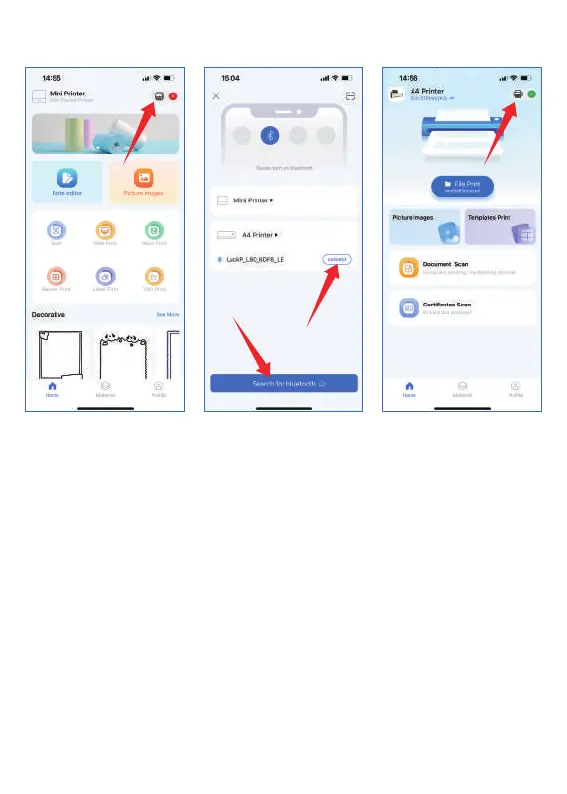
Note: Do not search for the printer connection in the Bluetooth settings
of the mobile phone, but turn on the BT function and search for related
devices in the APP and then connect it.
1. Click the small printer icon in the upper right corner
2. Click to search for BT
3. Click to connect
4. Successfully connected, a small green icon is displayed in
the upper right corner
1
2
3
4
5


 To Next Page