EasyManua.ls Logo

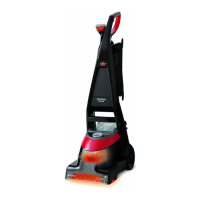
Bissell 8852 SERIES - User Manual

Bissell 8852 SERIES
16 pages
Print Icon
To Next Page IconTo Next Page
Loading...
DEEPCLEAN ESSENTIAL
™
USER GUIDE
8852 SERIES

Questions and Answers

  • C
    Christopher BradfordJul 27, 2025
    What to do if my Bissell 8852 Vacuum Cleaner is not picking up solution?
    • A
      Andrew SchwartzJul 27, 2025
      If your Bissell Vacuum Cleaner isn't picking up solution, ensure the ReadyTools dial is correctly set for either floor cleaning or tools. Also, confirm that the 2-in-1 tank is firmly seated. Remove and reseat it to ensure proper function. Empty the 2-in-1 tank if it has reached its maximum dirty water capacity.
  • F
    Felicia RobinsonAug 8, 2025
    Why does my Bissell Vacuum Cleaner have reduced spray or no spray?
    • S
      Shelby HicksAug 9, 2025
      If your Bissell Vacuum Cleaner has reduced or no spray, first, turn the power switch off and refill the bladder with clean hot tap water and formula. If that doesn't work, the 2-in-1 tank may not be seated properly; turn the power switch off, remove the tank, and reseat it. Also, the pump may have lost its prime; turn the power switch off, wait one minute, then turn it back on and depress the spray release trigger.

Bissell 8852 SERIES Specifications

General IconGeneral
Model8852 SERIES
TypeUpright
Dirt Cup Capacity1.0 Liters
Width13.5 inches
Power SourceCorded Electric
Voltage120V
Wattage1440W
Bagged or BaglessBagless
Surface RecommendationCarpet
Amperage12 amps
Included ToolsCrevice Tool
Special FeaturesOnePass Technology

Related product manuals