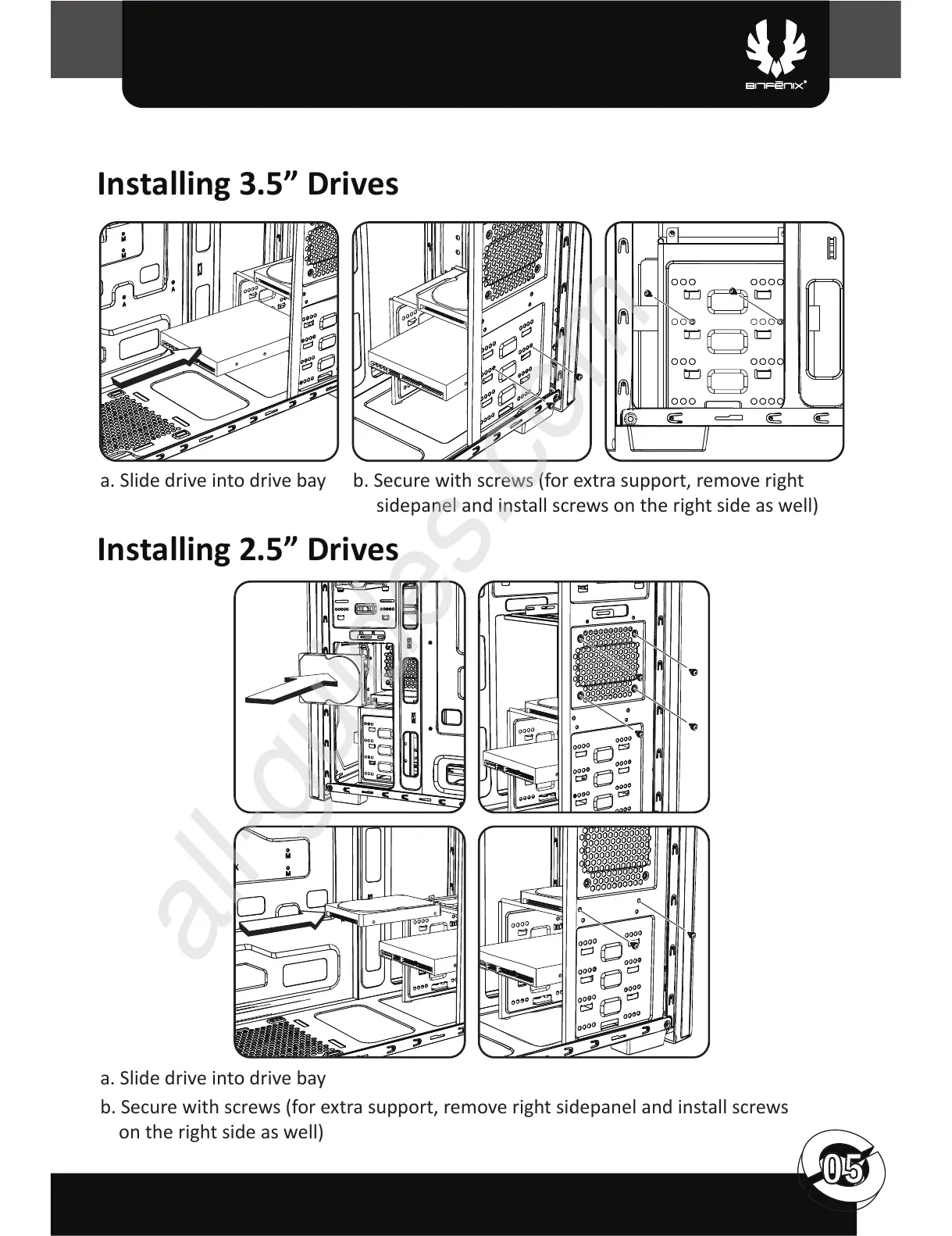
Installing 3.5” Drives
Installing 2.5” Drives
a. Slide drive into drive bay
a. Slide drive into drive bay
b. Secure with screws (for extra support, remove right sidepanel and install screws
on the right side as well)
b. Secure with screws (for extra support, remove right
sidepanel and install screws on the right side as well)



 To Next Page