Need help?
Do you have a question about the BitFenix phenom and is the answer not in the manual?
Step-by-step instructions for safely removing the side panels of the PC case.
Guides on removing the hard disk tray, installing 3.5" drives, and securing them with screws.
Instructions for removing the hard disk tray, installing 2.5" drives, and securing them.
Identification of front panel connectors including USB 3.0, audio jacks, and buttons like power/reset.
Detailed steps for installing 120mm fans at the top, including filter removal and replacement.
Procedure for installing 120mm fans at the bottom, including securing with screws.
Procedure for installing a 230mm fan at the bottom, including securing with screws.
Steps to install a fan at the rear of the PC case and secure it with screws.
Instructions for removing the PSU bracket, installing the PSU, and securing it within the case.
Guide for installing the 5.25" drive bay adapter, securing devices, and mounting the adapter.
Information on using the magnetic heat shield, specifically when HDDs are installed on the bottom.
 General
| Type | PC |
|---|---|
| Material | Plastic, Steel |
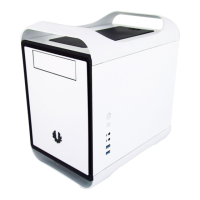
| Form factor | Small Form Factor (SFF) |
| Side window | No |
| Reset button | Yes |
| Product color | White |
| Number of 2.5\" bays | 11 |
| Number of 3.5\" bays | 6 |
| Number of 5.25\" bays | 0 |
| Number of expansion slots | 2 |
| Supported motherboard form factors | Mini-ITX |
| Supported HDD sizes | 2.5, 3.5 \ |
| Fan diameter | 230 mm |
| Power protection features | - |
| Power supply location | Bottom |
| USB 2.0 ports quantity | USB 2.0 ports have a data transmission speed of 480 Mbps, and are backwards compatible with USB 1.1 ports. You can connect all kinds of peripheral devices to them. |
| Front fans installed | 1x 120 mm |
| Top fans diameters supported | 120 mm |
| Rear fans diameters supported | 120, 140 mm |
| Front fans diameters supported | 120, 140, 180, 200, 230 mm |
| Number of rear fans supported (max) | 1 |
 Weight and Dimensions
| Depth | 374 mm |
|---|---|
| Width | 250 mm |
| Height | 330 mm |

 To Next Page