27
Setting up your tablet
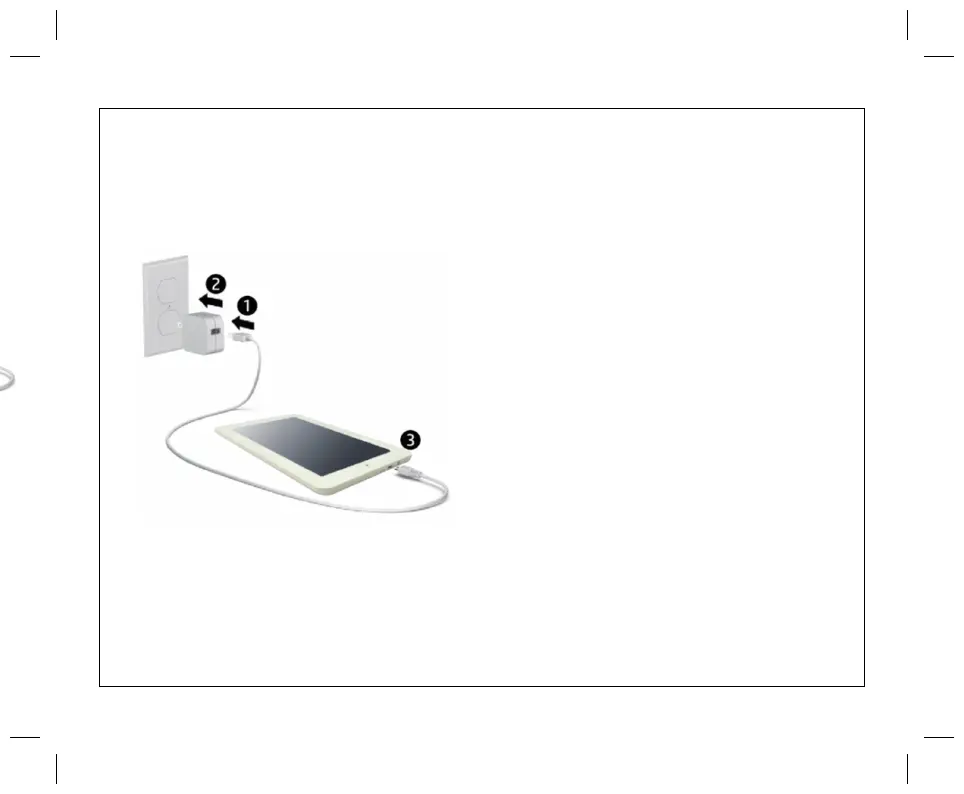
1. Connect the cable to the charger
2. After charging the battery, press and hold
the power button for up to 5 seconds until
the pattern is displayed.
IMPORTANT: If the battery image is not
displayed on the screen, press the power
buttonbriefly to display the image, and then
press and hold the power button until the logo
is displayed.
3. Follow the on-screen instructions to select
a language and a wireless network.


 To Next Page