Rev. 1.00
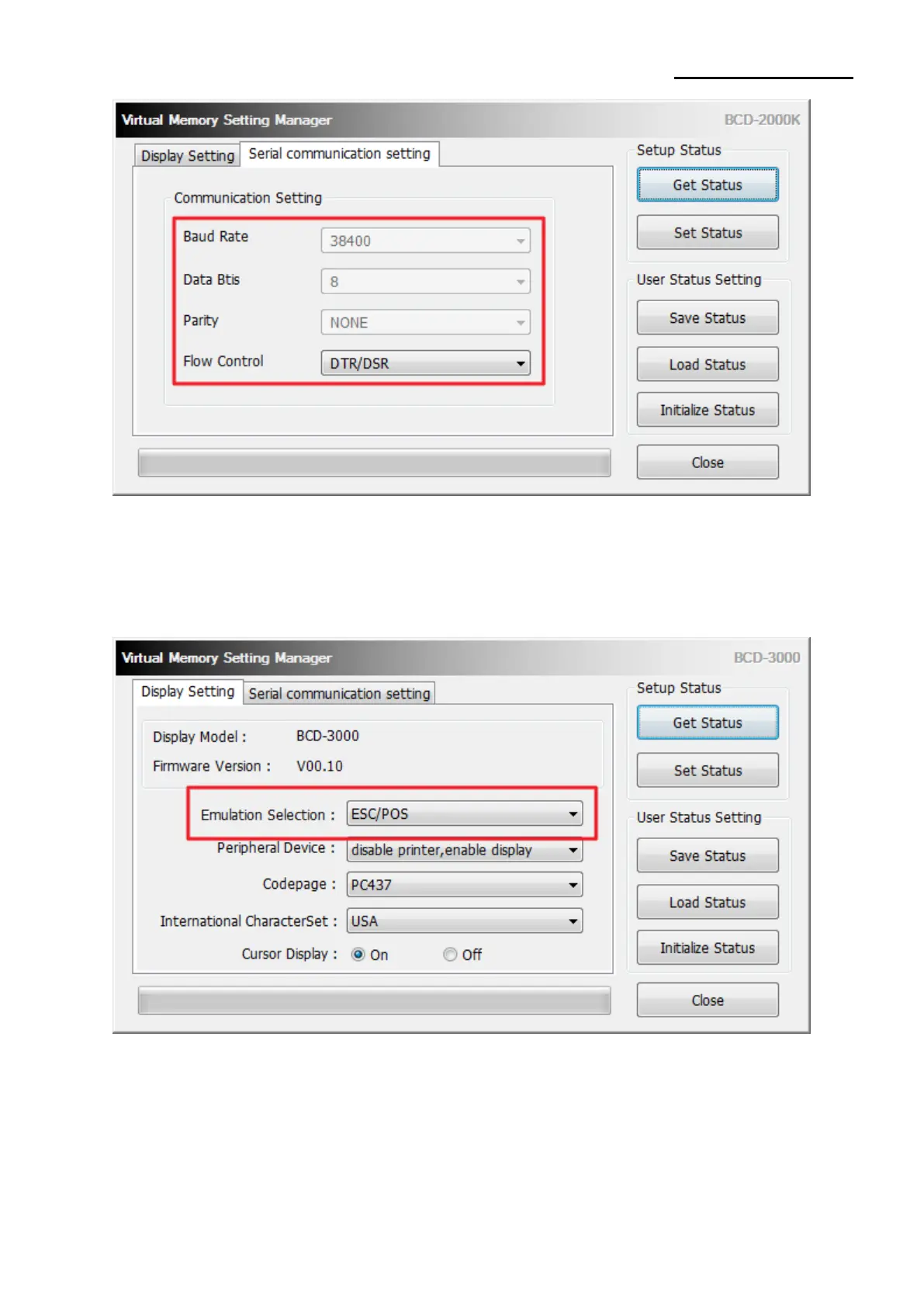
11) Serial communication setting
It is possible to set the serial communication of the customer display. It is only possible to
set Flow Control on the utility and the rest of the value should set though the dip switch.
Please refer the product manual for the dip switch setting.
12) Emulation(BCD-3000)
The user may select and set the emulation.
The default value of emulation is ‘ESC/POS’



 To Next Page