3. Installation & Usage
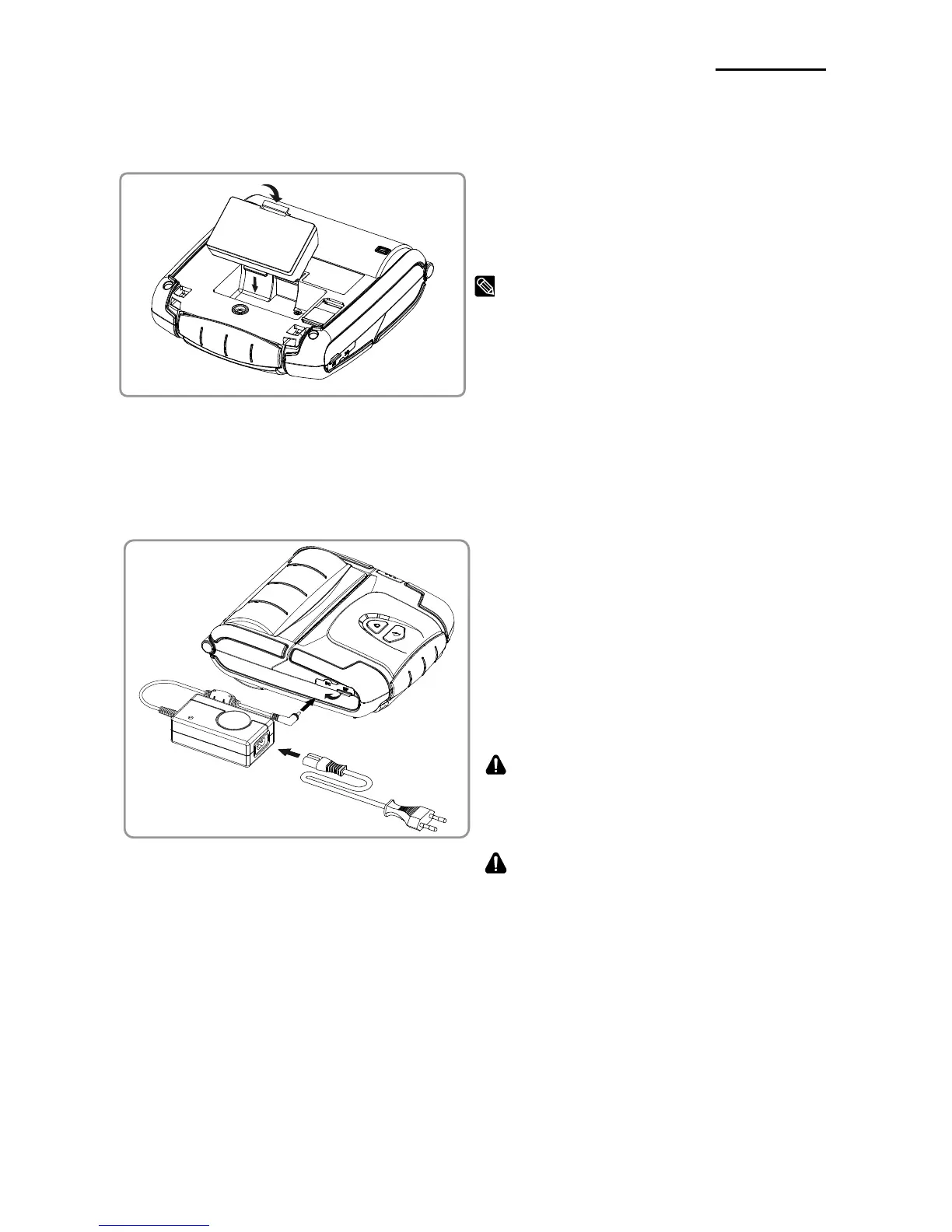
3-1 Battery Installation
1) Insert the battery on the rear side of the
printer, aligning the battery hook properly.
2) Push the battery into the slot until a
snapping sound is heard.
As the battery is not charged at the time of
purchase, charge the battery before use.
3-2 Battery Charging
3-2-1 Using Battery Charger
1) Turn off the printer power.
2) Connect the power cord ② to the
battery charger ①, and then connect
AC power.
3) Open the external interface cap in the
direction of ③.
4) Connect the battery charger to the power
connector.
The printer may be seriously damaged if a
battery charger not provided by BIXOLON is
used. BIXOLON is not liable for such damage.
WARNING
Turn off the power before charging the battery
for the printer.



 To Next Page
 Loading...












