NV Image Tool
Rev. 2.03
- 5 -
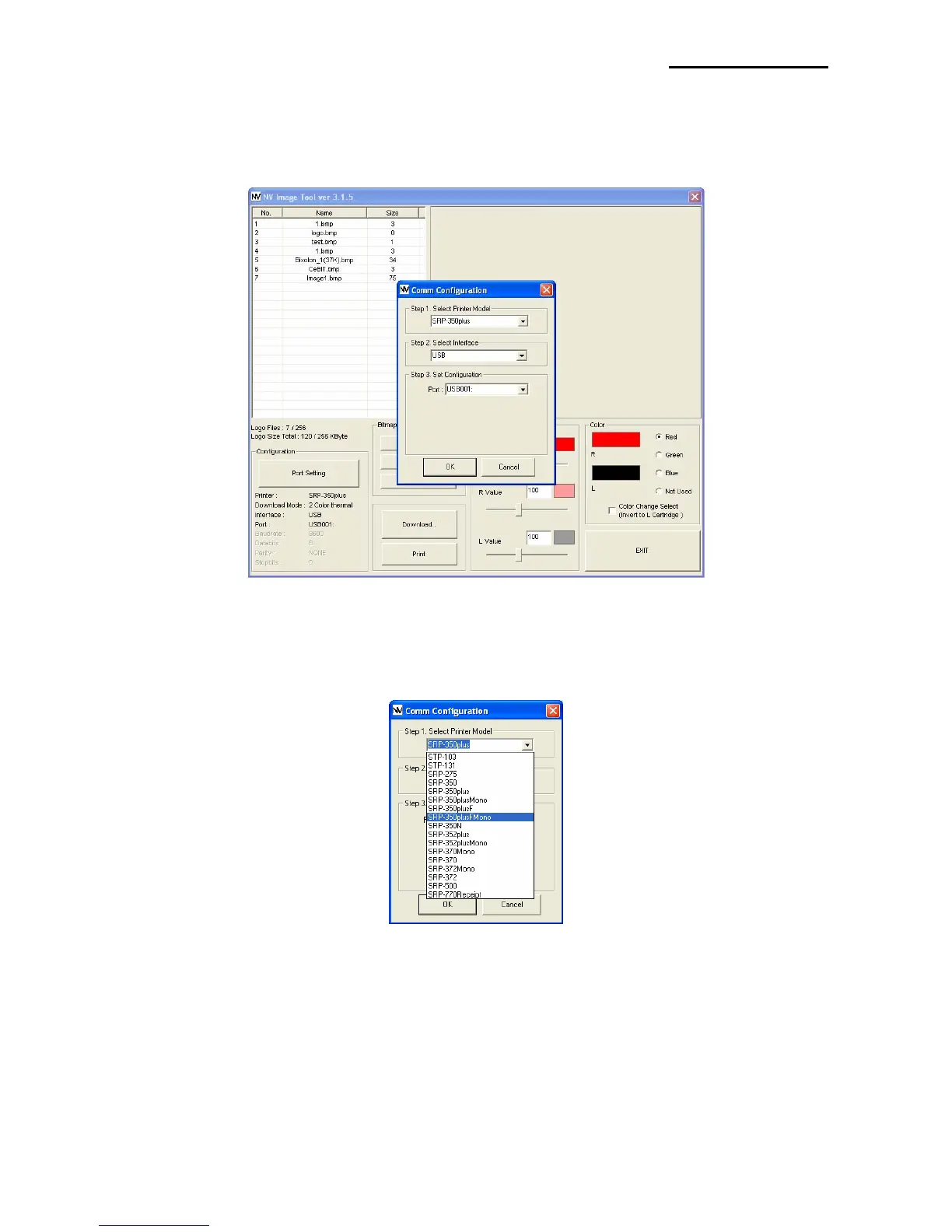
4-2 Communication Configuration
1) Click “Port Setting” button to set communication configuration.
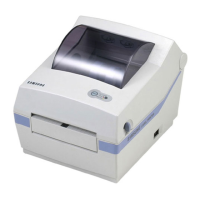
2) Select the Printer model. If the Printer is supported two-color mode, mono or two-color
mode can be selected.
* The choice of Mono / two-color mode is applied in SRP-350plus, SRP-350plusF, SRP-
352plus, SRP-370 and SRP-372 printer model. According to the choice of mode, the
command of sending image data is distinguished.
* SRP-275 and SRP-500 printer models that are supported two-color mode are no need
to choose it.



 To Next Page