Display and operation
Operating instructions GLP
1 -- 81
6.562.98.5.01.18
1.4.13.12
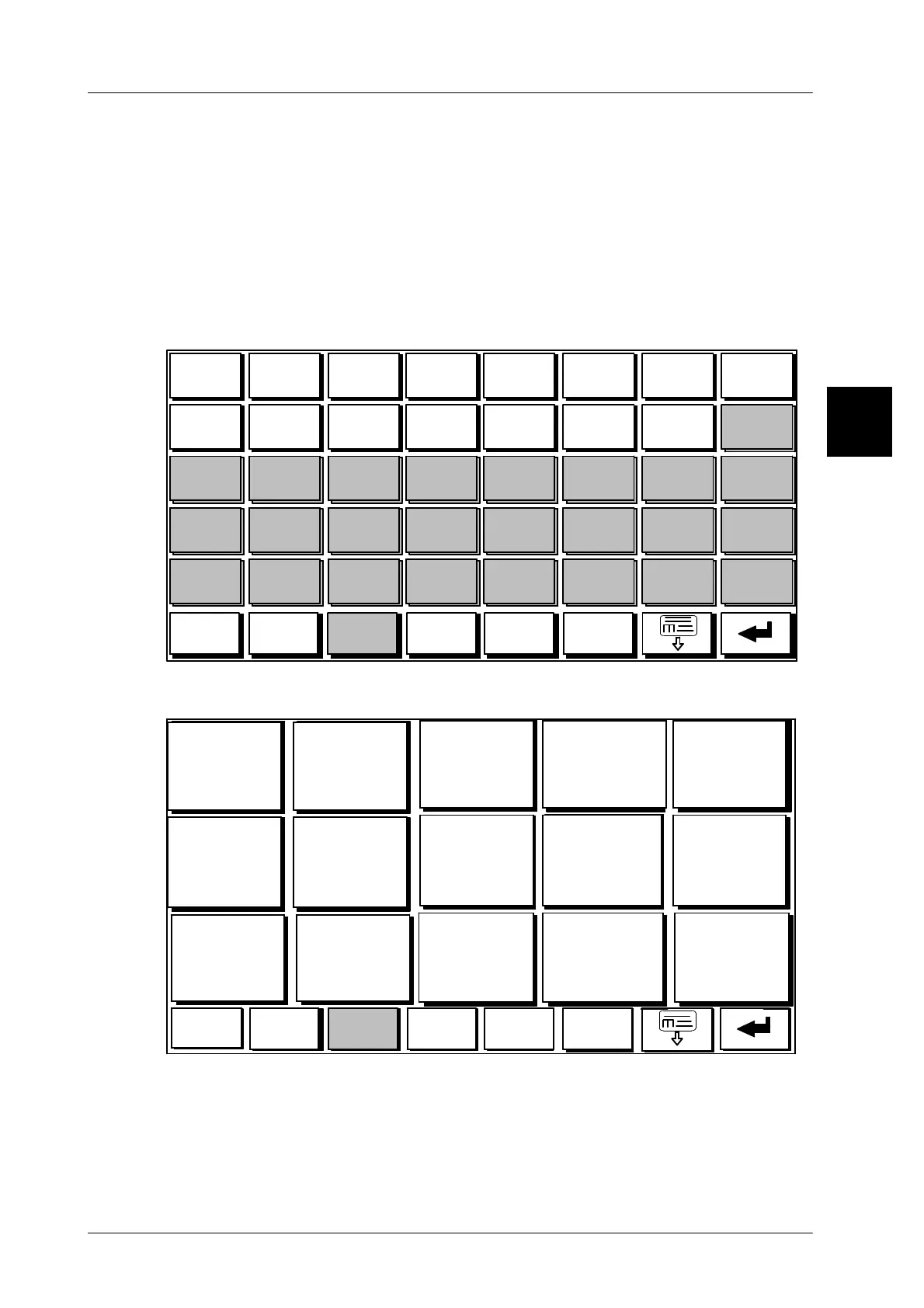
Programming of hidden quick keys
On a keyboard page with small quick keys you can hide the quick keys 16-- 40, if
necessary (see picture above). For this purpose you can preset the respective key
size to medium or large for the key of this page (see page 1 -- 72) after having pro-
grammed the small buttons of the respective page. Only the touchbuttons 1--15 are
displayed then (see picture below). The other small buttons do not get lost, but only
are no longer displayed. If this function is required again, the button size for this
page can be changed again to small, so all buttons are visible again. This function
suits well e.g. for the master key functions. The buttons programmed on the master
key may be turned invisible after changing the keyboard level.
1 2 3 4 5 6 7 8
9 10 11 12
13 14
15 16
17 18
19 20
21
22 23 24
25
26
27 28 29
30 31
32
33 34 35 36 37
38 39 40
Back
SET
Fruit
Meat Chicken Cheese
The buttons 16--40 can be hidden by switching to “Large touchbuttons”.
Touch screen after switching to large touchbuttons.
1 2
3
4 5
6 7
8
9 10
11 12
13
14 15
Back
SET
Fruit
Meat Chicken Cheese
The buttons 16 -- 40 are no longer displayed. If required, they can be turned visible
and can be operated and programmed again, after switching to “Small touchbut-
tons”.
1.4



 To Next Page