Display and operation
Operating instructions GLP
1 -- 82
6.562.98.5.01.18
1.4.13.13
Maximum dimensions of the logos for the keys
The logos for the quick keys must be available in the GT--CT, not in the device to
be operated. The logos must not exceed the following dimensions:
Key size
Key with text
Key without text Display of softkey le-
vel
Small 65 x 32 Pixel 65 x 41 Pixel
Without
Medium 113 x 59 Pixel 113 x 68 Pixel With
Large 113 x 76 Pixel 113 x 85 Pixel
Without
1.4.13.14
Error messages in touchbutton programming
If one of the following error messages is displayed during programming, you can
eliminate the error as described below. The respective error message isdisplayed
immediately in the button operated after saving the data!
A non--existent logo number has been entered. Call programming
again and enter a valid logo number!
The logo called up via the entered logo number cannot be
displayed in the button. Select another logo size if necessary.
1.4.13.15
Saving and restoring a programmed quick keyboard
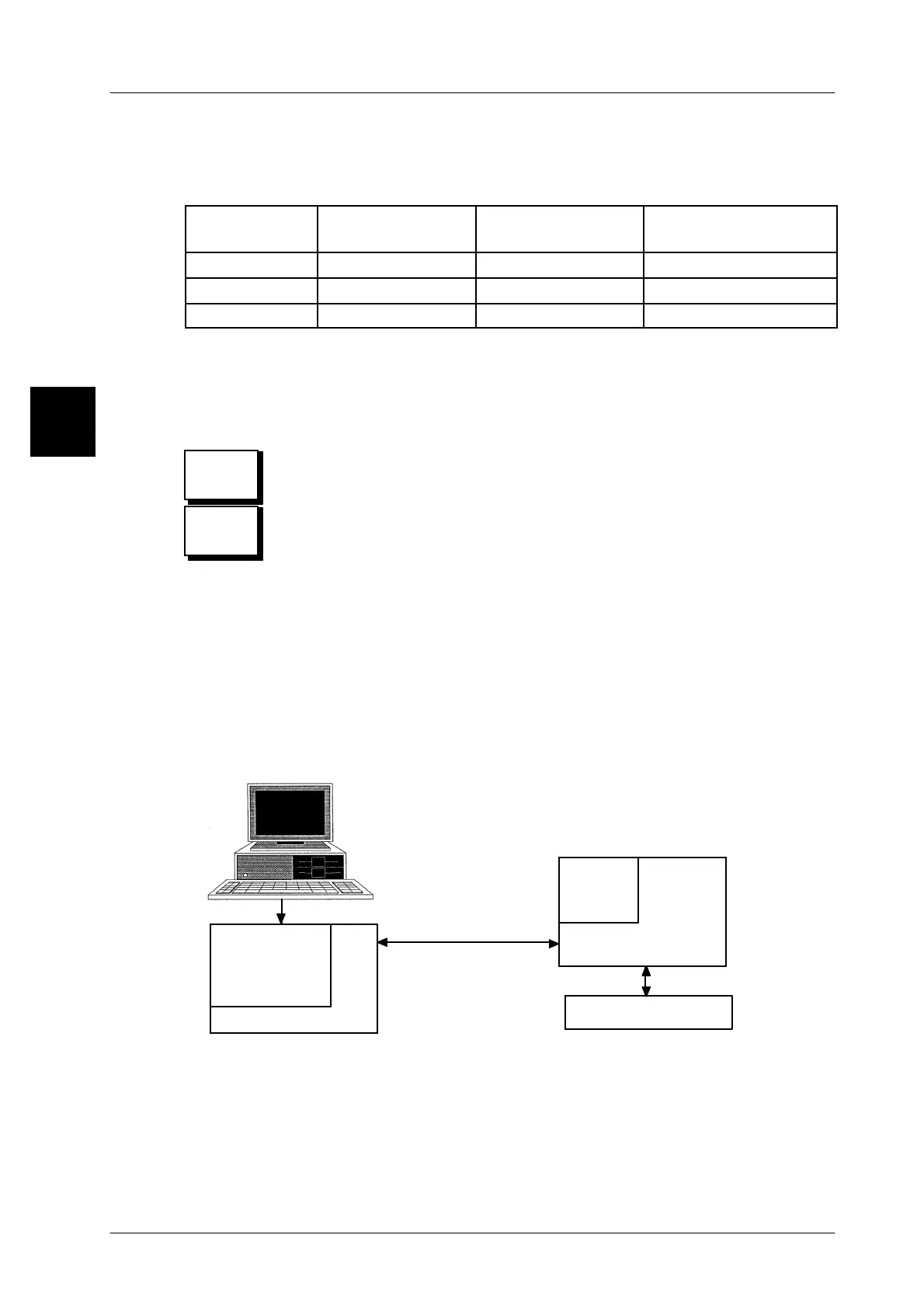
In principle the quick keyboard is stored in the device and it is displayed in which
device it has been programmed.
If you operate on a device e.g. CWM via e--service, the quick keyboard is stored
in the CWM, as the e--service is a virtual display unit of the device. If you operate
on the CWM via the GT--CT operating terminal, the quick keyboard is stored in
the GT--CT. By using the quick keyboard stored in the GT--CT several connected
GX devices can be controlled.
e--Service
CWM
ethernet
system bus
GT--CT
quick
touchscreen
internal
Display
with
quick keyboard
virtual
touchscreen
keyboard
A quick keyboard is programmed via e--service in the CWM, so afterwards the
programmed quick keyboard can be operated in the CWM only via e--service.
Possible connected GT--CT terminals administer their own quick keyboard, which
can be programmed via e--service, but also directly in the GT--CT. It is not possible
to transmit the (virtual) quick keyboard by setup or / and line backup from the
CWM to the GT--CT terminal!
1.4
Logo no?
Logo
size!


 To Next Page
 Loading...

