Presettings for labeling
Operating instructions GLP
3 -- 7
6.562.98.5.01.18
Special price on Bizerba standard labels*
Only possible if ”
with special price
” is set at mode level 5.
If the labeling mode ”Fixed price” or ”Fixed value” is set, a fixed price and a spe-
cial unit price may be entered.
A unit price or a special unit price may be entered here. There is also the possibility of tem-
porarily changing the unit price or the special unit price called with the PLU data. When
entering zero as the unit price, only the unit price will be indicated and printed out on the
label.
Operating sequence: Description
--------------------------------------------------------------------------------------------------------------------------------------------------------------------
[MODE] 2
Article
data
Price Unit
price
-- Call up the input menu.
xxxx [ENTER] -- If required, enter unit price in unit price field
, e. g. $ 9.90 and confirm.
The system advances automatically to the special unit price.
xxxx -- Enter a new special unit price, e.g. $ 9.70.
Enter price
Unit price
$ 9.90
Cancel <ESC>
OK <ENTER>
Spec. unit pr.
$ 9.70
[ENTER] -- Acknowledge input.
[ ], [ ] -- The cursor keys permit each input field to be selected individually.
[ENTER] -- Return to the basic display.
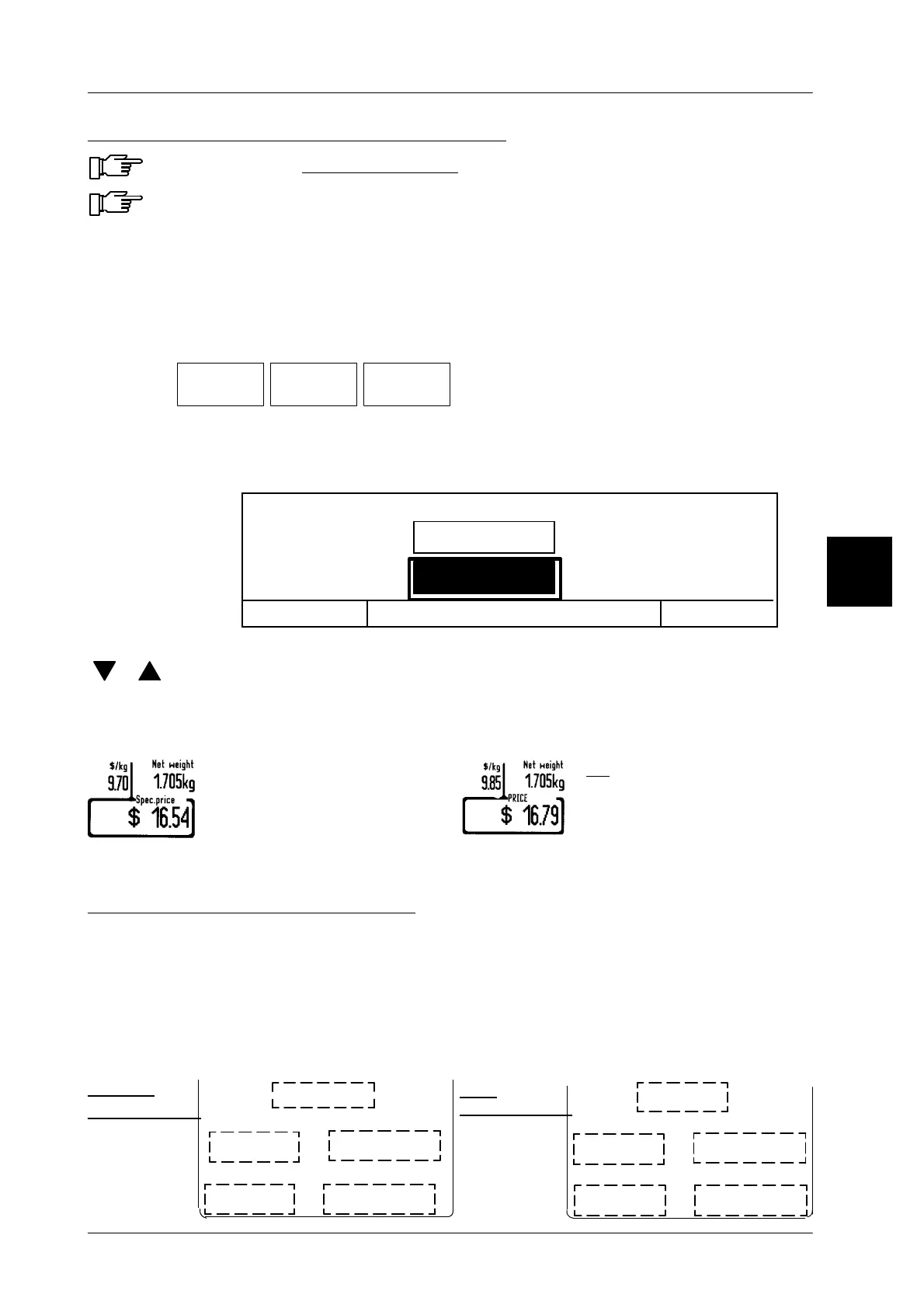
The unit price is shown above the softkey and the special unit price on the upper left of the
unit price window.
set, it is printed on the Bi-
zerba--Standard labels as
unit price and the calculated
selling price is printed with text
“Special price”.
set, the preset unit price and
the calculated selling price,
as well as text “Price” are
printed on the Bizerba stan-
dard labels.
Special price on customer label
For customer labels the special unit price is printed in the special unit price field and the
special price in the special price field. The unit price is printed in the unit price field and the
price in the price field. There will be no price exchange based upon special price 0 or
> 0 ! It is possible to print price and special price on one label. When using customer labels,
this function must be taken into consideration as-- no matter which price field was created
on the label-- it is always the special price that is encoded if a special price is preset in the
barcode.
3
Unit price
Price
Special unit price
Special price
Unit price
Price
Special unit price
Special price
9.90$
4.75$
Weight
0.500kg
0,500kg
Weight
9.90$
4.75$
8.50$
4.25$
special price
special price


 To Next Page
 Loading...

