Presettings for labeling
Operating instructions GLP
3 -- 34
6.562.98.5.01.18
3.1.7.4 Article total
Preset the special code structure rules for the article total.
Operating sequence: Description
------------------------------------------------------------------------------------------------------------------------------------------------------
[MODE] 2
Article
data
[ETC]
Total
code
Article
total
Call up the selection menu
*A:cod.Df1
codeFld.1
Assign the bar code created under the PLU data of single labels
to the article total labels via Codedef. 1 (see the example
above).
3.1.8 Logos
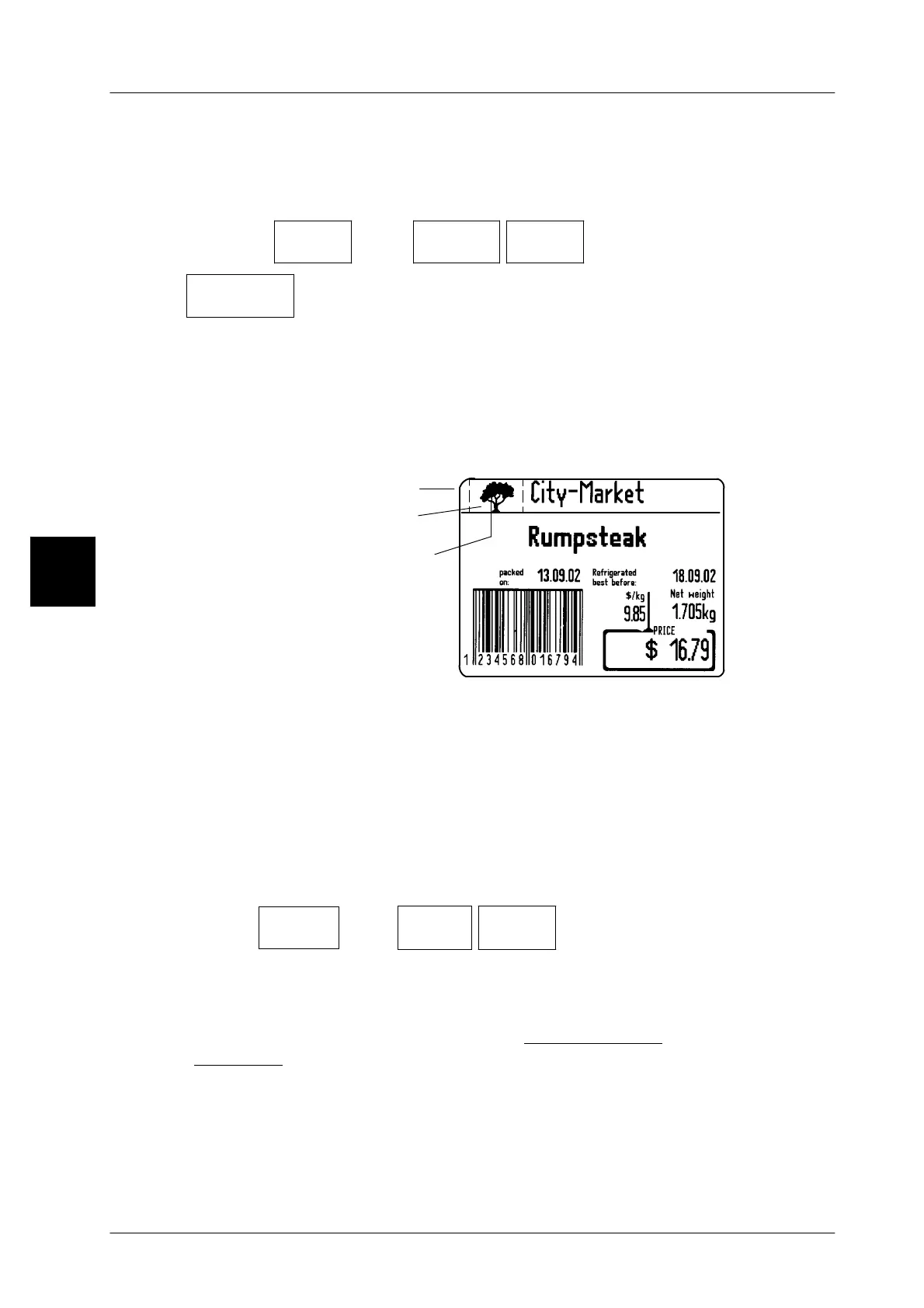
Standard labels permit a logo to be printed in logo field 1.
Prerequisite: ”with logo in text field 1” is set (see page 3 -- 139).
Overview:
Text field 1
Logo freely
selectable
via the logo
number
Logo field 1
Customer labels permit up to 5 logos to be printed on it.
The logos to be printed must be saved in the unit under a logo number. All logos
may be allocated to the articles under the PLU data via their respective number.
The logo number may also be input directly, or the logo called up via the PLU may
be changed.
3.1.8.1 Preset the logo number for logo fields 1--5
Operating sequence: Description
------------------------------------------------------------------------------------------------------------------------------------------------------
[MODE] 2
Article
data
[ETC]
Logos Logo No.
field 1
Input to call up, for ex., logo field 1.
xx [ENTER] or [ETC] -- Enter the new value and acknowledge or save in the da-
tabase (see page 1 -- 32).
If required, enter the logo numbers for logo fields 2 -- 5 as described under
”logo field 1”.
3



 To Next Page