Presettings for labeling
Operating instructions GLP
3 -- 40
6.562.98.5.01.18
3.2.3 Text display
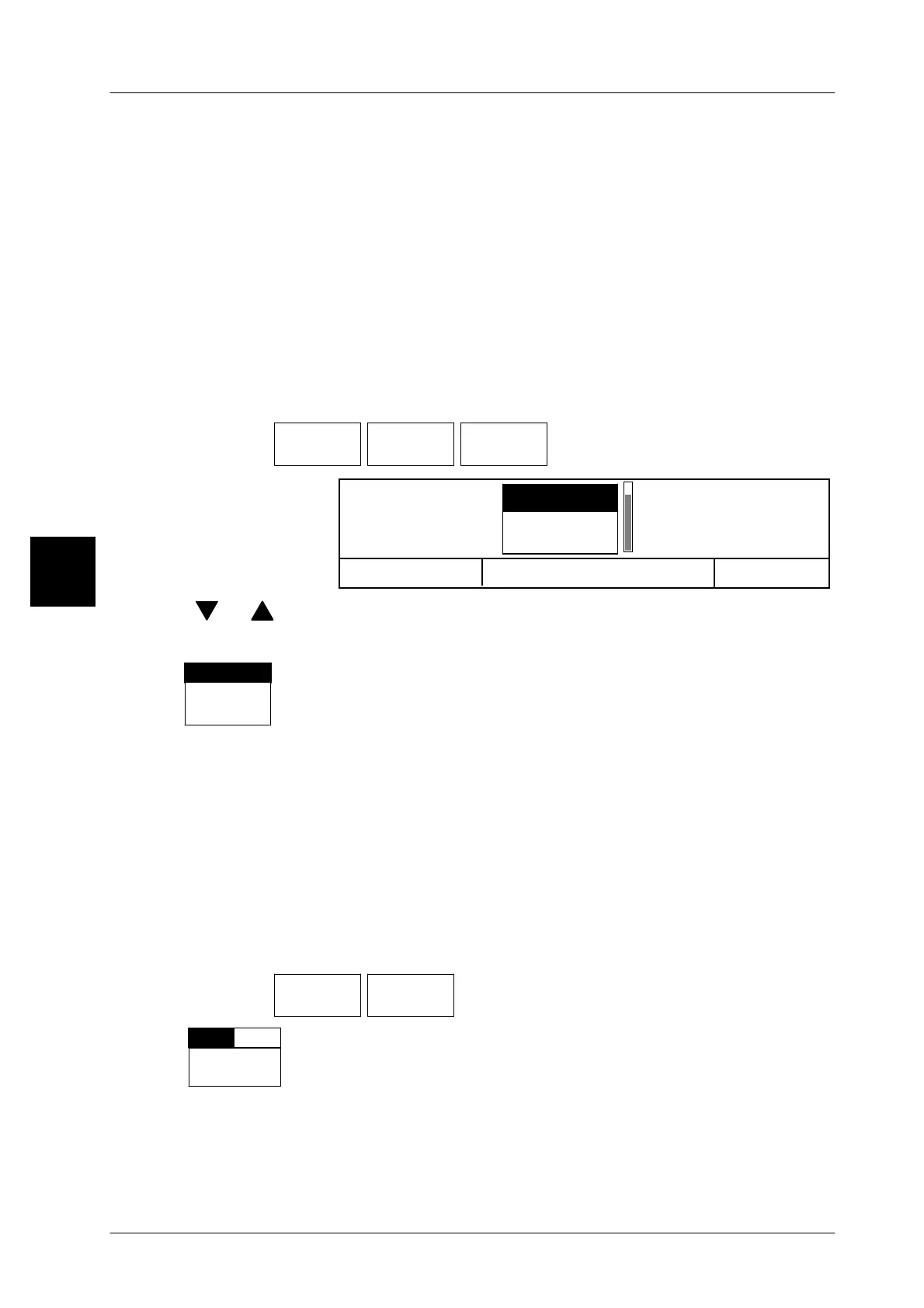
3.2.3.1 Selecting the text to be displayed
In the text display range on the display (in the center of the display) the text of any
text field number or the text entered in text field “Article text” can be displayed.
Up to 20 texts can be stored on the device under the text field numbers 1--20 and
then selected and displayed. In addition, you can also select the text of the text
field “Article text”, which can be entered for each PLU under the PLU data in the
database in mode level 3 or 4or directly in mode level 1 or 2 under Texts / Arti-
cle text.
Default setting: text from text field No. 2
Operating sequence: Description
------------------------------------------------------------------------------------------------------------------------------------------------------
[MODE] 2
Texts Text
display
Txt displ.
Text No.
-- Call up the selection menu.
OK <ENTER>
Article text
1
2
Txt displ Text No.
Cancel<ESC>
[ ] , [ ] -- Select required text field number or “Article text”.
[ENTER] -- Store presetting
The selected text field number or the text “Article text” is dis-
played above the softkey.
3.2.3.2 Preset text display presentation
The text selected (see above) may be presented in the standard or the original
version. The relevant setting can be made here.
Standard presentation: text left--justified in a fixed character size.
Original presentation: text according to its justification and
character size.
Operating sequence: Description
------------------------------------------------------------------------------------------------------------------------------------------------------
[MODE] 2
Texts Text
display
-- Call up the selection menu
Select.
repres.
Org.Std.
Set whether the article text is to be displayed in the standard or the
original version.
Standard setting: standard
3
PLU text
Text displ.
Text No.



 To Next Page