Presettings
Operating instructions GLP
3 -- 91
6.562.98.5.01.18
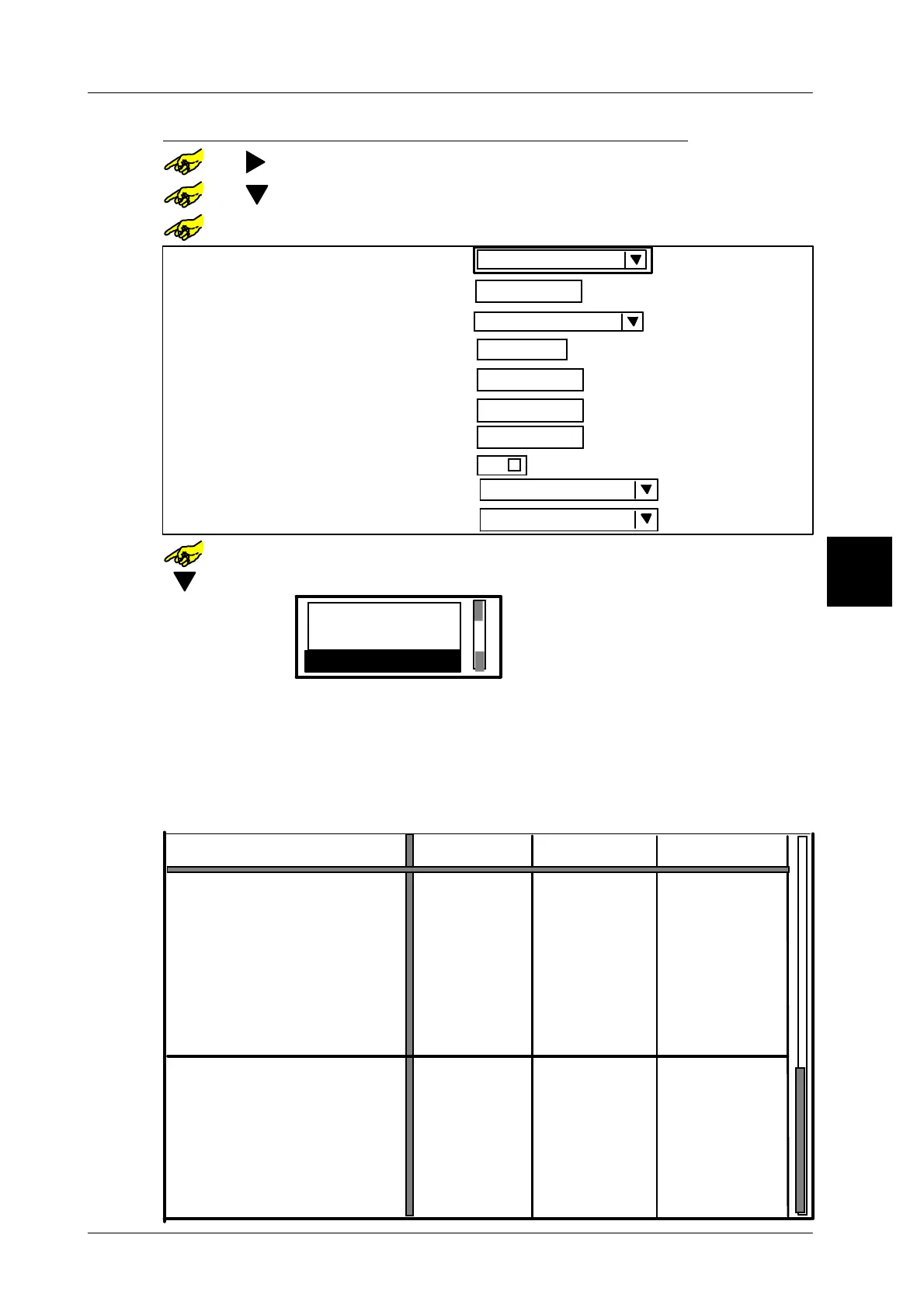
Presetting the labeling mode for each weight class
or [ ] -- Select required weight class column
or [ ] -- Select table field ”Labeling mode”
or [SELECT]
-- Open the table field selected.
Weight:
Statistics:
0 g
without
Factor To(1..30):
3
Min level:
0 g
Max. level:
0 g
Report for marginal statistics
without
Report for main statistics:
Default
Statics display
weighed
Labeling mode
0
No. of packages for st. mean value
or [SELECT] --
Open the selection menu ’Labeling mode’.
[ ] . . . -- Using the cursor key, select the labeling mode ’Fixed value’.
Fixed price
Fixed value
Fixed weight
[ENTER] [ENTER] -- Acknowledge the selection and exit the selection menu.
For the example given in each case preset the labeling type “weighed” in the two
other weight classes.
If operating mode ”Fixed weight” or “Fixed value” is set, please activate the pre--
packaging control with static evaluation, in order to adhere to legal regulations of
the prepackaging control! (see from page 3 -- 93).
3
------
without
Fixed value
3
-----
------
------
------
------
3
-----
------
------
------
------
------
3
-----
------
------
------
------
------
--
--
--
--
--
--
--
--
--
--
--
--
--
--
--
--
--
--
--
--
--
--
--
--
WgtCl
Labeling mode
Weight:
Package ejector
Statistics:
Factor To(1..30):
Statics display
Report for main statistic:
Min. level:
Max. level:
Report for marginal statistic:
Divider control
Divider 1
Divider 2
Divider 3
Divider 4
Divider 5
Divider 6
Divider 7
to Great.than
weighed
weighed
to
without without
No. of packages for st. mean value
------ ------ ------
1 g 6000 g6000 g



 To Next Page