Presettings
Operating instructions GLP
3 -- 103
6.562.98.5.01.18
3.5.6 Cancel & minus
3.5.6.1 Cancel via numerator
The function ”cancel via numerator” is described on page 2 -- 22.
3.5.6.2 Minus
How to subtract a fixed value package is described in the section ”Labeling” on
page 2 -- 23 and a description of how to reweigh a package is to be found on page
2 -- 24.
Subtracting several packages or cartons
If several packages of an article or complete cartons are to be subtracted from the
total memories, the number of packages and their weight and price totals may be
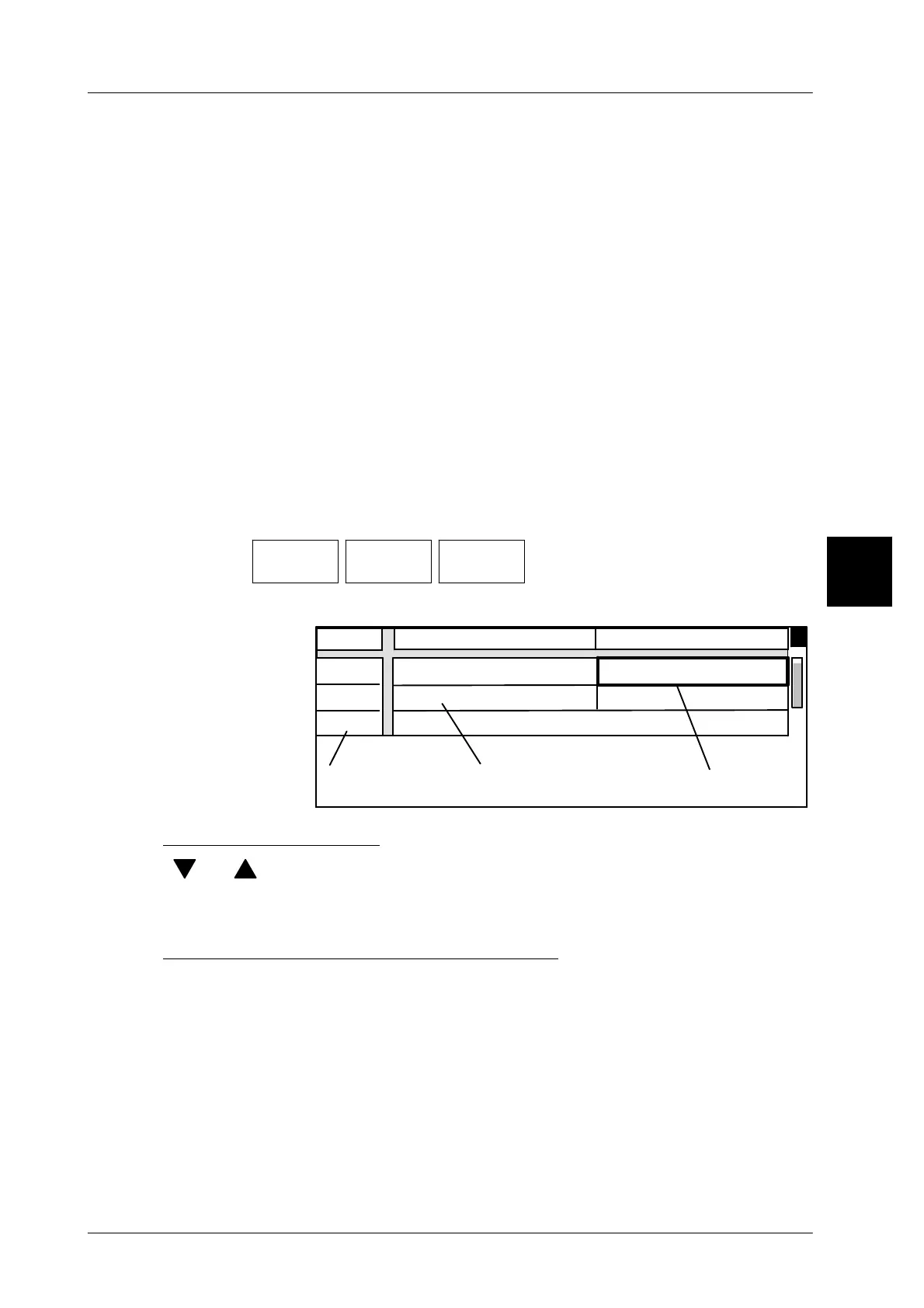
entered into a table editor in the relevant fields and subtracted accordingly.
Before making subtractions, the total memories from which subtractions are to be
carried out, may also be defined in the table editor (see page 3 -- 105).
Operating sequence: Description
------------------------------------------------------------------------------------------------------------------------------------------------------
[MODE] 2
Labe-
ling
Cancel.&
minus
Minus
-- Call the ”minus” function.
After that, the table editor is indicated for inputs.
Line Attribute Value
01
02
Net weight
1.88 LB
Price
$ 5.90
Attribute call by the
input of the initial letter
Line No. to call
up the attribute
Scroll
bar
>
03
Tare
0.00 LB
Selecting the input field:
[ ] , [ ] . . -- Select the input field using the cursor keys or make the selec-
tion as described in section 1.7 of the programming instruc-
tions.
Entering the value into a selected table field:
xx [ENTER] -- Enter the value and acknowledge.
For price and weight input, the comma is automatically set.
For the description of the individual attribute fields, see next page.
3



 To Next Page