Presettings
Operating instructions GLP
3 -- 105
6.562.98.5.01.18
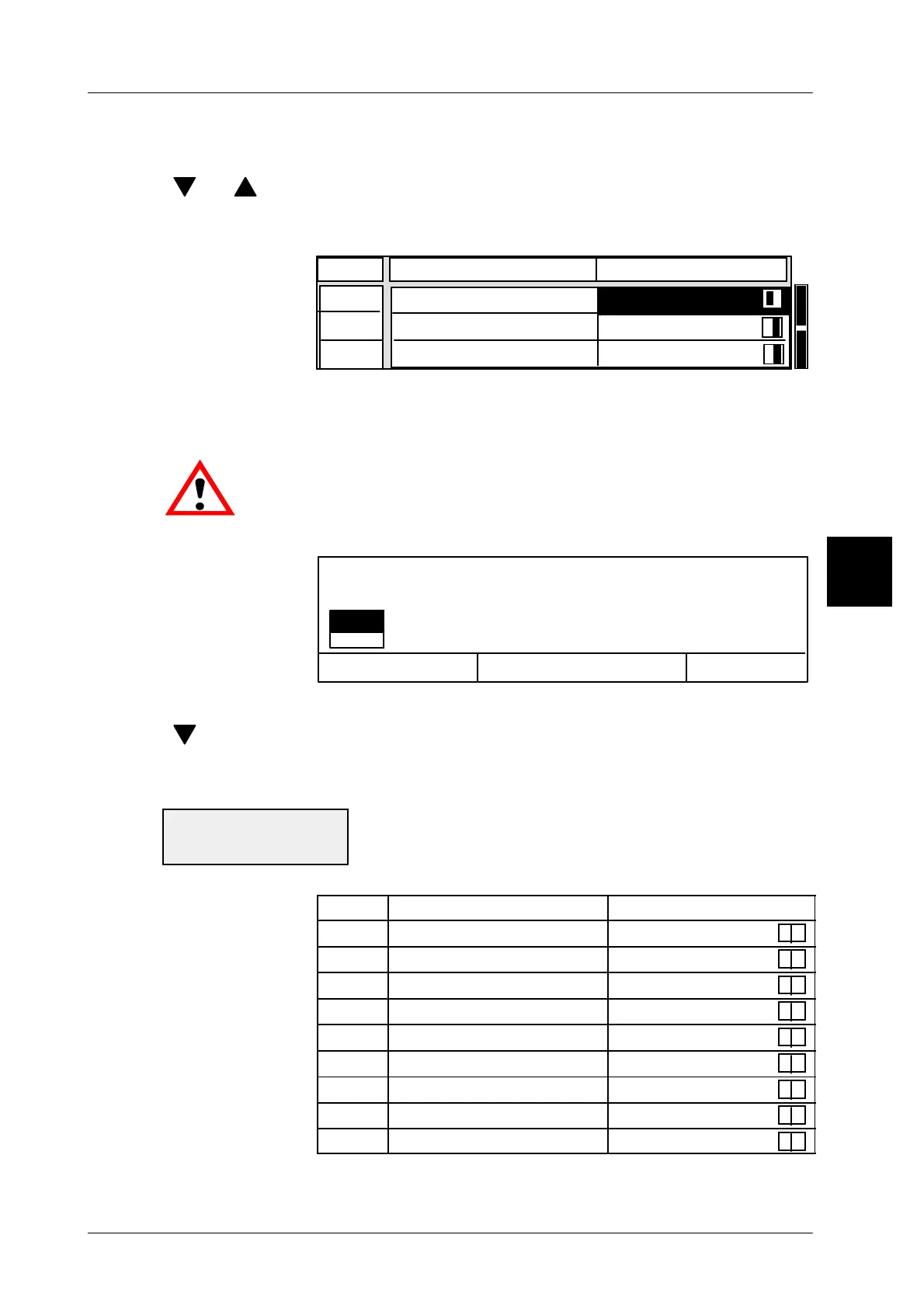
Defining the total memories for subtraction
In the editor, the various total memories may be set to active or passive.
[ ] , [ ] . . -- Select the total memory using the cursor keys
[TOGGLE] -- Set the total memory selected to active or passive.
active = with subtraction, passive = without subtraction
17
16
* 2
18 Config. *1
* 3
active
passive
Line
Attribute
Value
active
Subtracting the values entered
If the values to be subtracted are entered, such as a number of pieces, price,
weight etc., they may be subtracted from the defined total memories.
Entered values should be checked prior to their being subtrac-
ted. A value entered which exceeds the total accumulated up to
this moment will cause all total memories to be cleared.
[ENTER] -- Acknowledge the input and subtract the values entered.
Cancel <ESC>
OK <ENTER>
no
yes
Editor being quit!
Carry out minus weighing?
[ENTER] -- Select ”yes” and acknowledge if the data is to be stored.
[ ] [ENTER] -- or select ”no” and acknowledge if the editor is to be exited wi-
thout storage of data,
[ESC] -- or confirm with ”Cancel”, if you want to return to the editor.
If the adjacent status message appears after a subtrac-
tion, a total greater than that currently accumulated has
been entered which causes all total memories and the
values in the total display to be cleared.
Line Attribute Value
15 * 1
Xactive
16 * 2
Xactive
17 * 3
Xactive
18 Configurable *1
X
passive
19 Configurable *2
X
passive
20 * A
Xactive
21 * T
Xactive
22 * Tare
Xactive
23 * PG
X
active
3
Total deleted:
--> below/above range



 To Next Page