Maintenance
Operating instructions GLP
4 -- 10
6.562.98.5.01.18
4.2.2 Setting the printer
4.2.2.1 Setting the print image
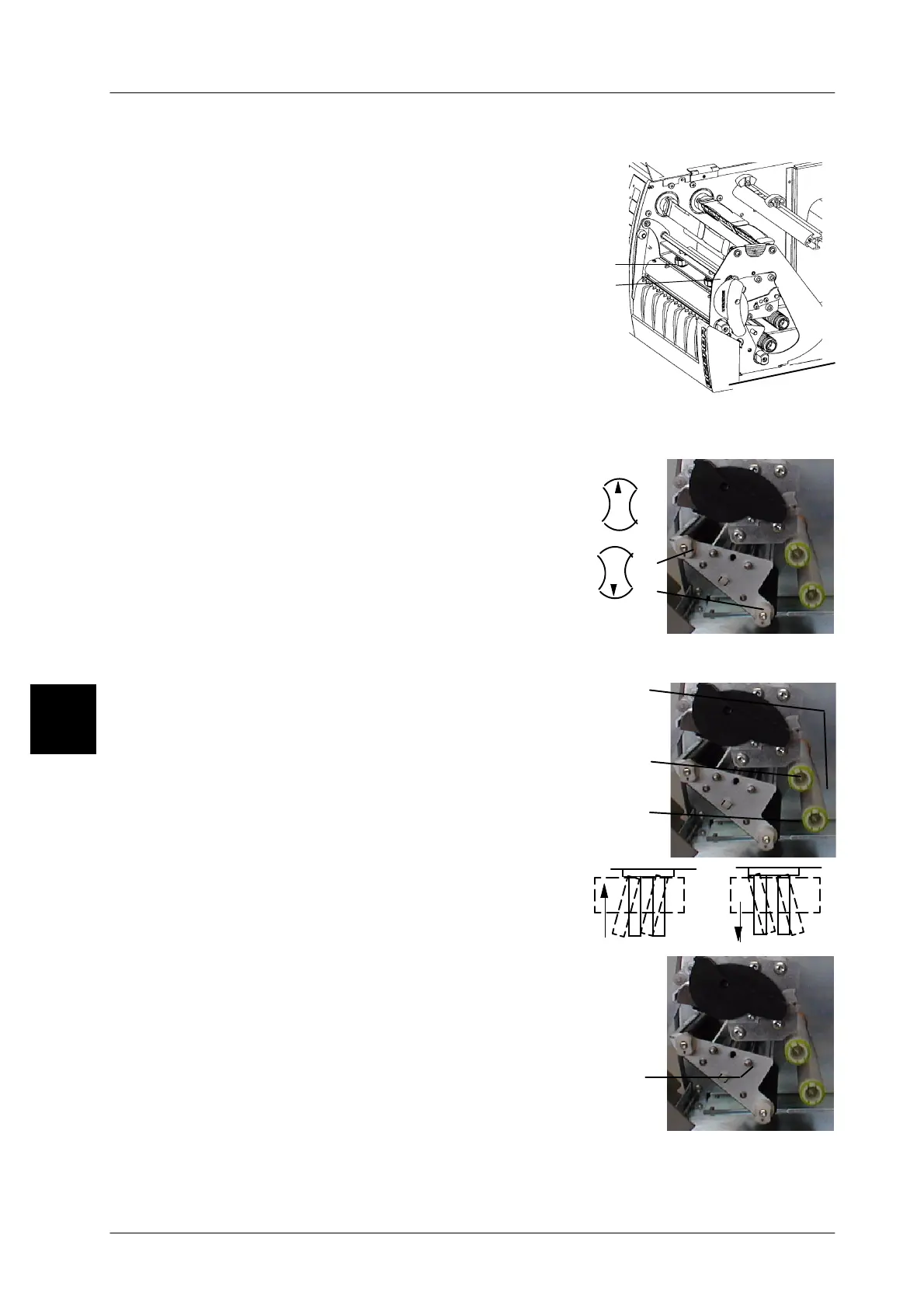
If the print image is not uniform over the full label
width, it may be corrected by turning the knurled
head screws A or B (B only for the GLP160) ac-
cordingly.
The following applies:
Print image faded on the left:
turn the knurled head screw anticlockwise.
Print image faded on the right:
turn the knurled head screw clockwise.
4.2.2.2 Adjusting the contact pressure in relation to the label width
If smaller labels are used, the contact pressure
of the rubber rollers may be reduced outside the
backing paper to minimize the abrasion on the
rubber rollers and the glass passivation of the
thermal strip.
Arrow upward: with contact pressure = wide la-
bels
Arrow downward: without contact pressure =
small labels
4.2.2.3 Adjusting the paper guide on the GLP 160
If the backing paper runs not correctly left--justi-
fied through the printer, because the label tape
does not properly wind off and the backing paper
winds improperly up, the guide rollers A and B
may be slightly swivelled to the left or right. This
permits the backing paper guiding to be cor-
rected. The adjusting screw C is located on the
right of the roller bearing.
4.2.2.4 Adjusting the label light barrier
As regards labels having an irregular shape, such as
deco--labels, the leading label edge is in most cases
not scanned by the label light barrier. To ensure proper
scanning, the label light barrier may be horizontally
moved on a shaft by turning the knurled head screw
A accordingly. The plastic housing of the light barrier
bears a marking which is to be set to the leading edge
of the label when the label tape is inserted.
When the printer is opened, this marking is visible
above the label tape.
4.2
A
B
A
B
Arrow upward
Arrow downward
A
B
A



 To Next Page