Options
Operating instructions GLP
5 -- 4
6.562.98.5.01.18
5.2.5 Cleaning the cutting device
The cutting device should be cleaned regularly. If Linerless paper is used, clean
it at least once a day!
Cleaning the rotating knife involves the risk of injury!
Do not touch the knife with your fingers, but with a cloth
or cleaning stick!
To clean the cutting device, proceed as follows:
-- Switch off the printer and disconnect the
power cable!
-- Tilt the right printer cover upward.
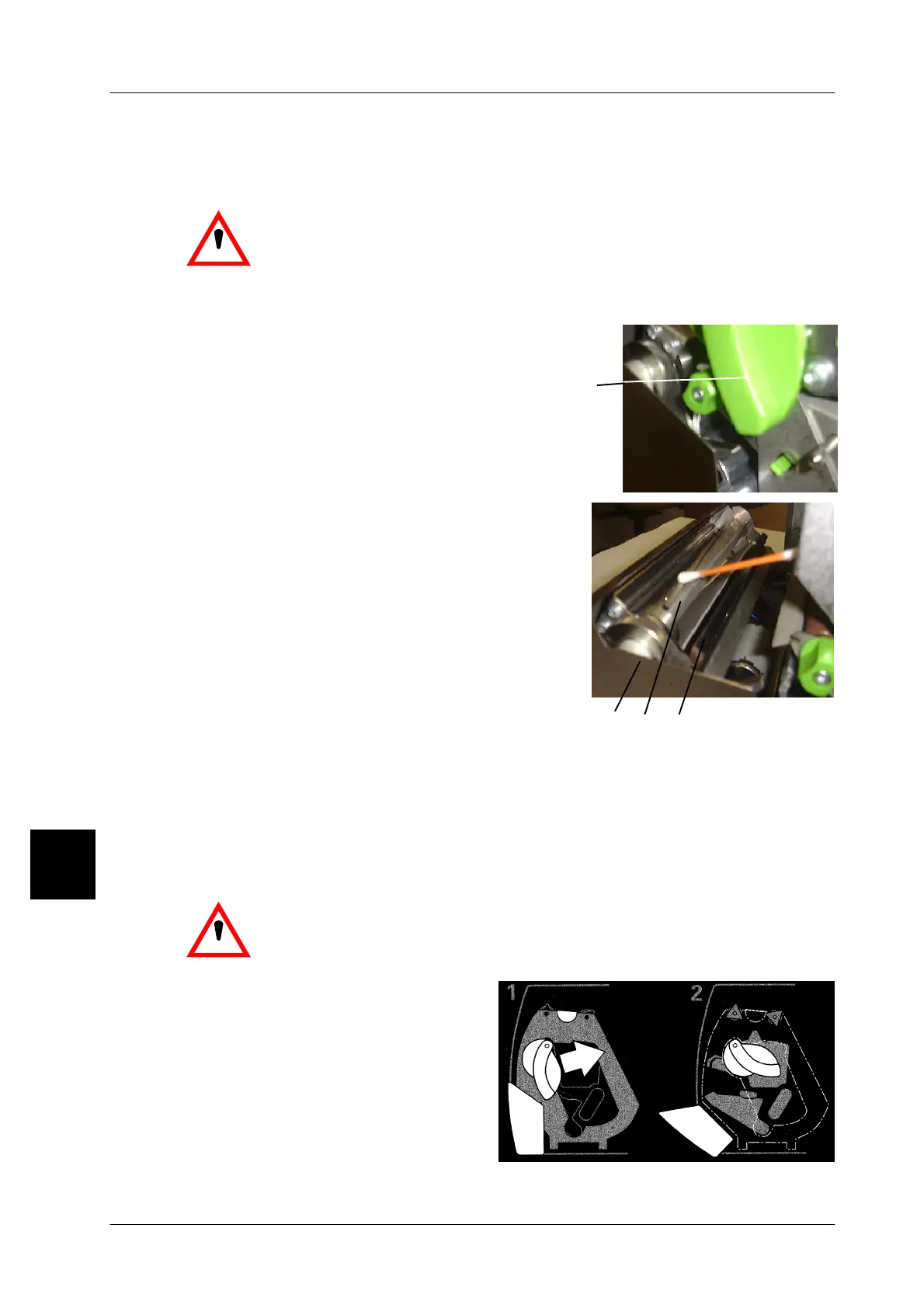
-- First lift the stop lever A, than move the cut-
ting device forward.
-- While moving it the protection above the rota-
ting knife moves automatically back. The ro-
tating knife is now accessible for cleaning.
-- Clean the cutting edge of the rotating knife
C as well as the flat knife D underneath by
means of a cleaning stick soaked in spirit.
-- For cleaning purposes the flat knife D may be
slightly moved and the rotating knife C may
be turned by means of the knurled ring B.
-- After cleaning move cutting device back at its position. The knife cover auto-
matically re--overs the knife.
-- Move the printer cover back in place.
5.2.6
Opening printhead if printer not in operation
.
If a Linerless label roll is in the GLP printer, the printer must be
opened by means of the green knob if it was not in operation for
more than 30 minutes. This prevents the Linerless paper from
sticking to the printer !
-- As shown in figure 1, move the tur-
ning lever in the direction of arrow.
The printer is opened (see fig. 2).
5
A
B
D
C



 To Next Page