Options
Operating instructions GLP
5 -- 24
6.562.98.5.01.18
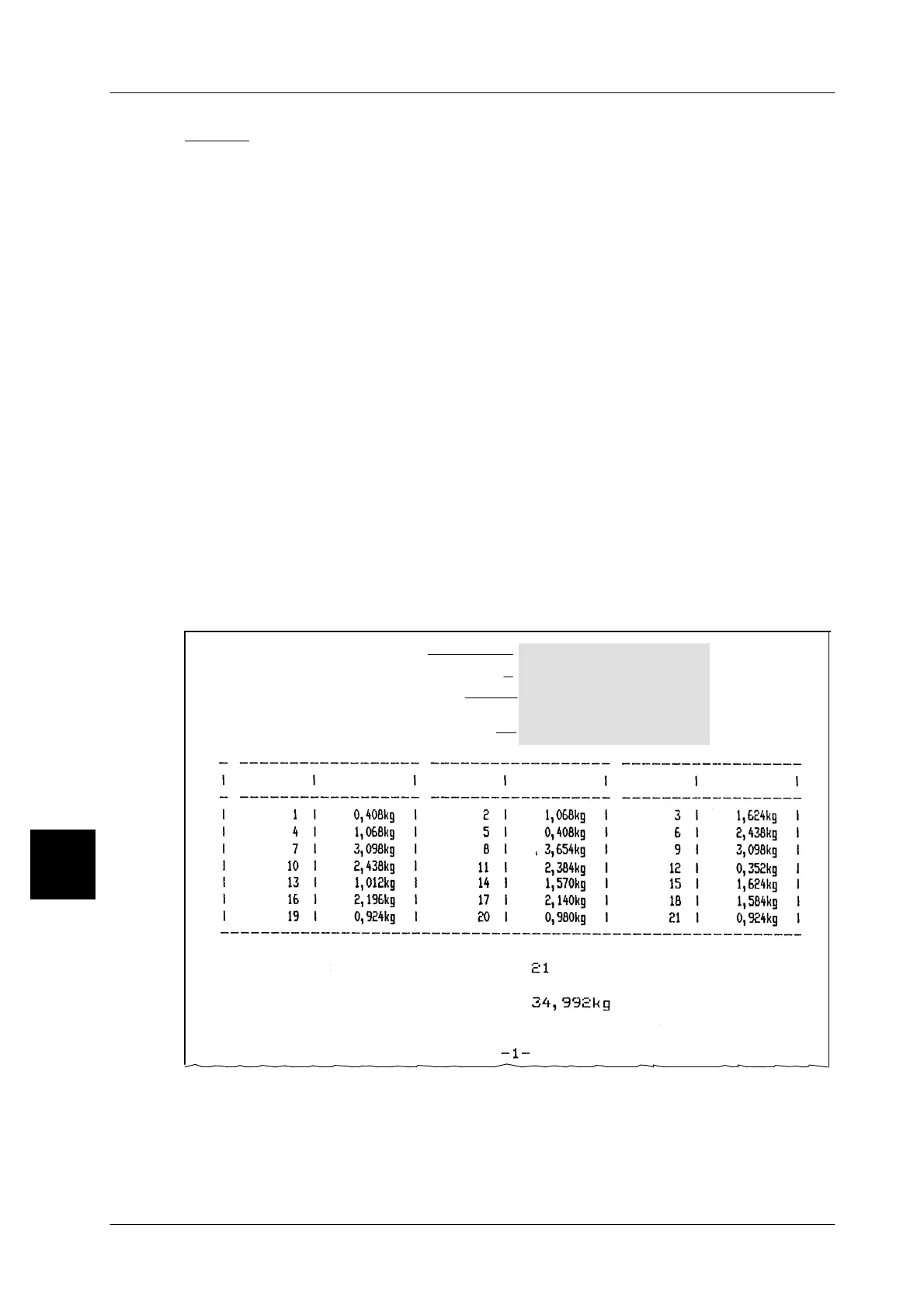
List 5: identical articles, additional pallet number, 3--column
After labeling of an article item, the accumulated weight total of the item is printed
on the list in three columns together with the consecutive total label No. *1 simulta-
neously with total label *1 or total label *2. Consequently, the operating mode ”with
total 1 numerator” must be set at mode level 5. For the printout of total label *2,
the total number of items *1, the total weight and the pallet number corresponding
to the number of total *2 are printed subsequent to item list printing. For this pur-
pose, the operating mode ”with total 2 numerator” must be set at mode level 5.
List header:
The list header is automatically printed after calling the list, on a PLU change and
a page feed.
The text stored in the text field 1 (e. g. the company logo), the article description
stored in text field 2, the PLU number, the best before/sell--by date and the column
header are printed in the list header.
Page feed:
A page feed takes place after each full page, after a PLU change and after printout
of total 2.
Page numerator:
The page numerator reading at the end of each page is increased every time a
new page is commenced and is reset on call of a different article.
List example:
Pallet number:
xx
Items Weight Items Weight Items Weight
BIZERBA
Contents of text field 1
PLU number
Article: Rumpsteak
Article no.: 123
Contents of text field 2
Date 2Date: 25.4.96
Total weight:
Total pieces:
5



 To Next Page