Display and operation
Operating instructions GLP
1 -- 50
6.562.98.5.01.18
1.4.7.4
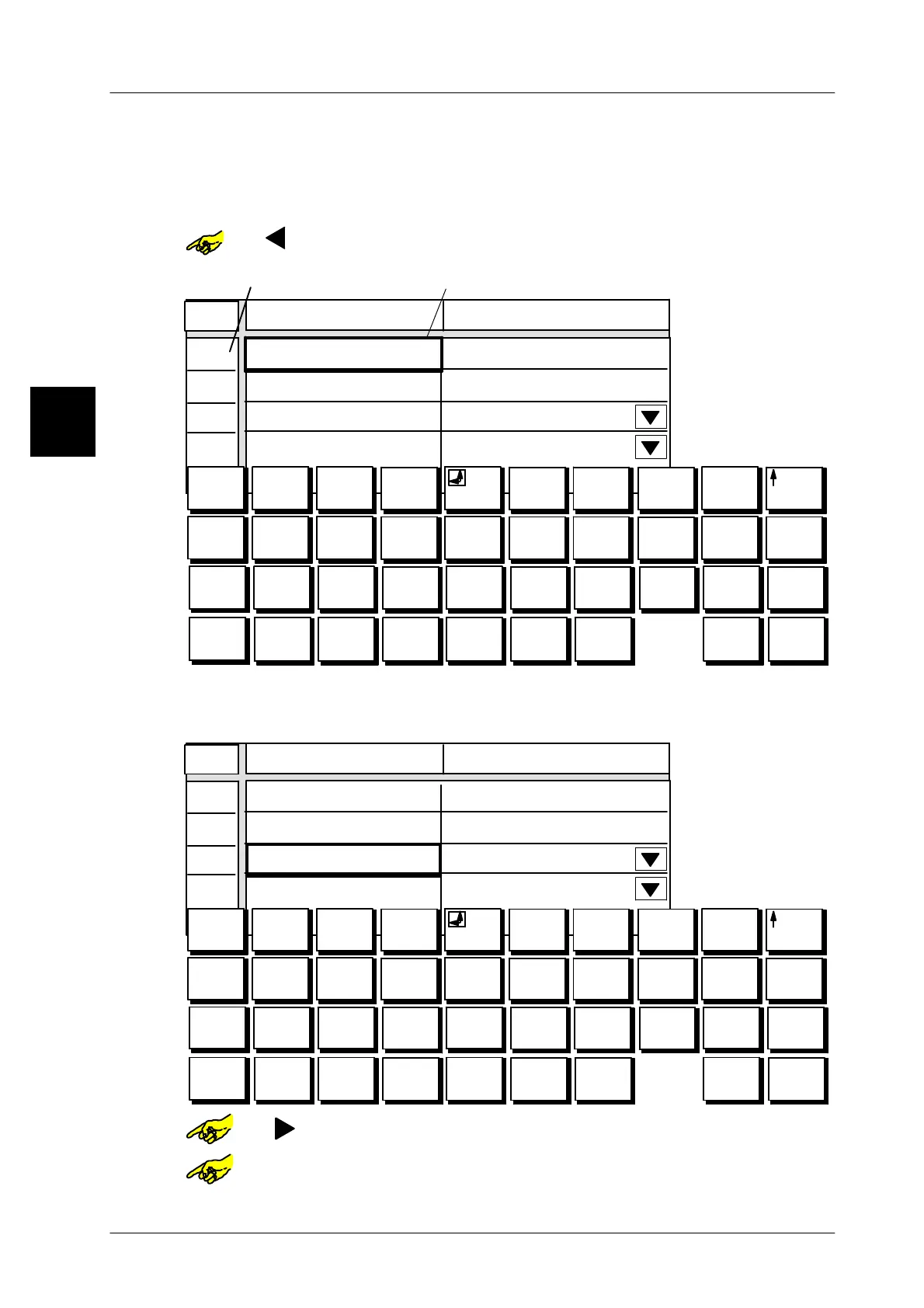
Selecting input or selection field via line numbers
In the tables containing line numbers the relevant attributes may be called up ea-
sily and fast by entering the corresponding line number.
Example: Preset operating mode in table “Autom. PLU change”.
or [ ] -- Select column “Autom. PLU change” by tapping or with cursor
keys. Alpha keyboard is then displayed.
01
02
03
04
0
0
1
+
2
*
3
=
4 5 6
e
7
$
8 9 0
Q W E R T Y U I O P
A S D F G H J K L Ü
@
#
è
é
&
ê
1/4 i /
ù
\
í
ß
?à
! (
) [ ]
< >
Â
Z
X
C V B N M Ö Ä
¿
¡
ç
:
;
Æ æ ø
Line number
Marking in column ”Autom. PLU change”
Line
Autom. PLU change Value
PLU No.
Customer No.
Execute if
Operating mode PLU change after *
*1 reached
€
xx
--
Enter 2-digit line number of attribute via numeric keys of alpha key-
board
,
e. g. 03 for “Operating mode”.
The marking moves to the relevant line.
01
02
03
04
0
0
1
+
2
*
3
=
4 5 6
e
7
$
8 9 0
Q W E R T Y U I O P
A S D F G H J K L Ü
|
||
|
@
#
è
é
&
ê
1/4 i /
ù
\
í
Þ þ
ß
?à
! (
) [ ]
< >
Â
Z
X
C V B N M Ö Ä
¿
¡
ç
:
;
Æ æ Ø ø
Line
Autom. PLU change Value
PLU No.
Customer No.
Execute if
Operating mode PLU change after *
*1 reached
or [ ] -- Select column “value” for the presetting.
or [SELECT] -- Activate etc. the selection menu for the presetting.
1.4



 To Next Page