Display and operation
Operating instructions GLP
1 -- 77
6.562.98.5.01.18
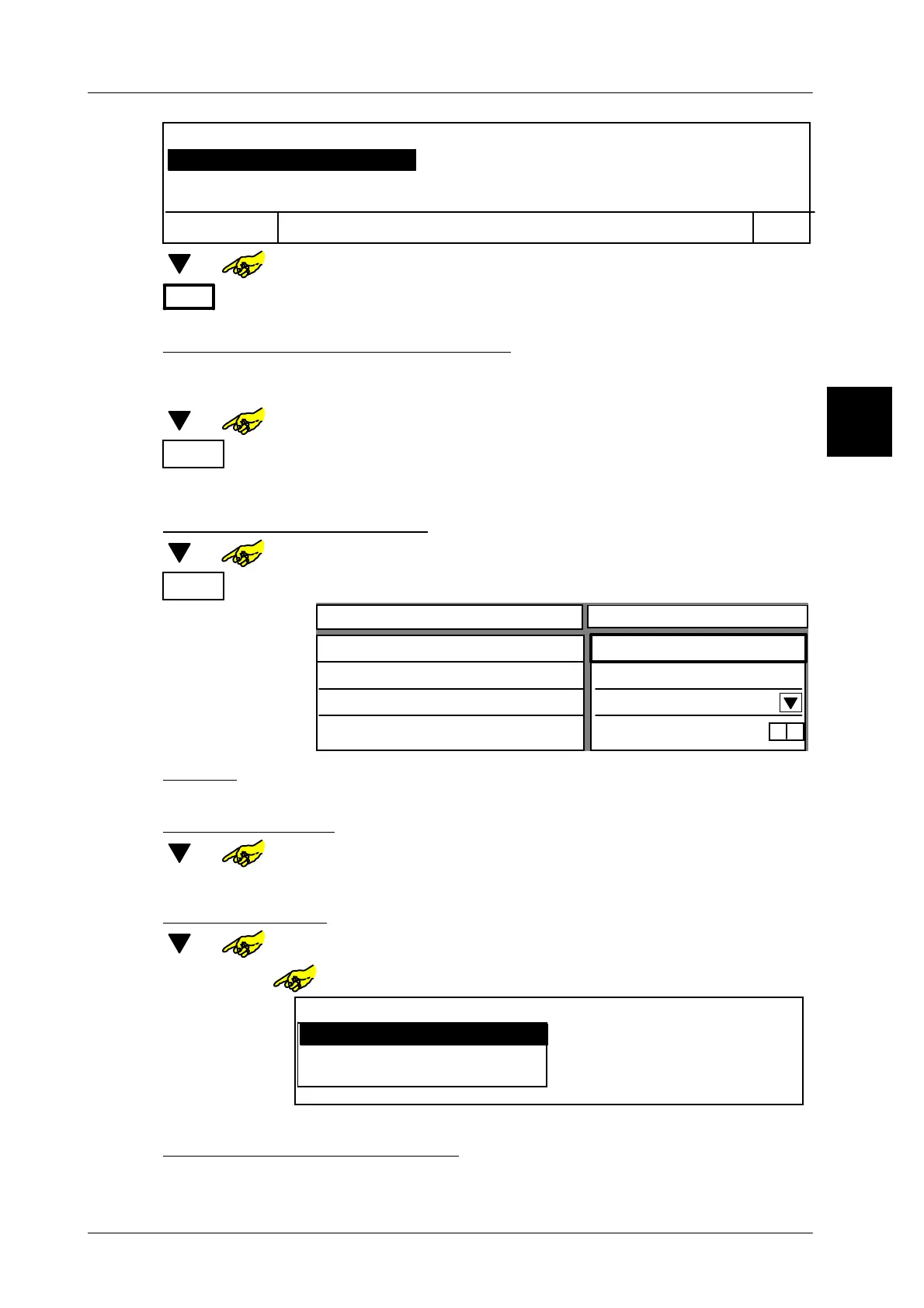
Select key, to be deleted!
OK
Cancel
Page 1, Key 2, xxxxxxxx
Page 1, Key 4, yyyyyyyyyy
Page 1, Key 6, zzzzzzzzzz
[ ] or -- In selection menu select the key to be deleted.
OK
or [ENTER] -- Confirm entry.
Deactivate or re--activate master key
If required, every key can be locked for call up (deactivate) or enabled (activate).
A disabled key is displayed in grey.
[ ] or -- Call up input field “Desactivate key”.
OK
or [ENTER] Depending on the display, either deactivate or acitvate the
master key.
Propertys of the master key
[ ] or In selection menu call up the function “Show master key properties”.
OK
or [ENTER] Call up “
Show master key properties
”.
Value
Text key
Logo number
Key activated
0
yes
0
x
Configurable key
Programmed keys
Page 1, key 2, xxxxxxx
yyyyyyyyyyy
Text key
x x [ENTER] -- If necessary, enter other text for master key and confirm
.
Enter logo number:
[ ] or -- Select input field ”Logo number”.
x x [ENTER] -- If necessary. enter other logo number and confirm.
Programmed keys:
[ ] or -- Select selection field ”Programmed keys”.
[SELECT] or Call up function “Programmed keys”.
Programmed keys
Page 1, Key 2, xxxxxxxx
Page 1, Key 4, yyyyyyyyyy
Page 1, Key 6, zzzzzzzzzz
[ENTER] -- Press enter to quit.
Activate or deactivate master
key
Carry out this function as described above.
1.4



 To Next Page