Need help?
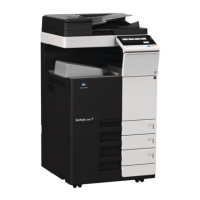
Do you have a question about the Bizhub C458 and is the answer not in the manual?
Details the step-by-step procedures for the MFP during its initial startup sequence.
Guides through common issues and solutions for the MFP during the boot-up process.
Addresses specific error codes and provides guidance for their resolution.
Covers common problems related to firmware updates, loading, and compatibility.
Troubleshooting C-DFA0 error, paper jams, and exit tray messages.
Addresses speaker volume problems and fusing offset image occurrences.
Resolves frequent jam codes J20-01, J20-02 related to the vertical transport section.
Covers FK settings, FK-514 installation, and no fax reception.
Guides on handling SC-508, removing EEPROM, and using self-diagnostic functions.
Details C9401 error, log file acquisition, and software switch checking.
 General
| Print Speed | 45 ppm |
|---|---|
| Resolution | 1200 x 1200 dpi |
| Monthly Duty Cycle | 150, 000 pages |
| Standard Paper Capacity | 1, 150 sheets |
| Maximum Paper Capacity | 6, 650 sheets |
| Duplex Printing | Yes |
| Scanner Resolution | 600 x 600 dpi |
| Original Size | Up to A3 |
| Memory | 4 GB |
| Hard Disk Drive | 250 GB |
| Type | Color Laser |
| Functions | Print, Copy, Scan, Fax (optional) |
| Copy Resolution | 600 x 600 dpi |
| Max Paper Size | A3 |
| Dimensions (W x D x H) | 615 x 685 x 779 mm |
| Connectivity | Ethernet, USB |
| Warm-up Time | Approx. 20 seconds |
| Paper Capacity | 1, 150 sheets (standard) |
| Mobile Printing | Yes |


 To Next Page