17
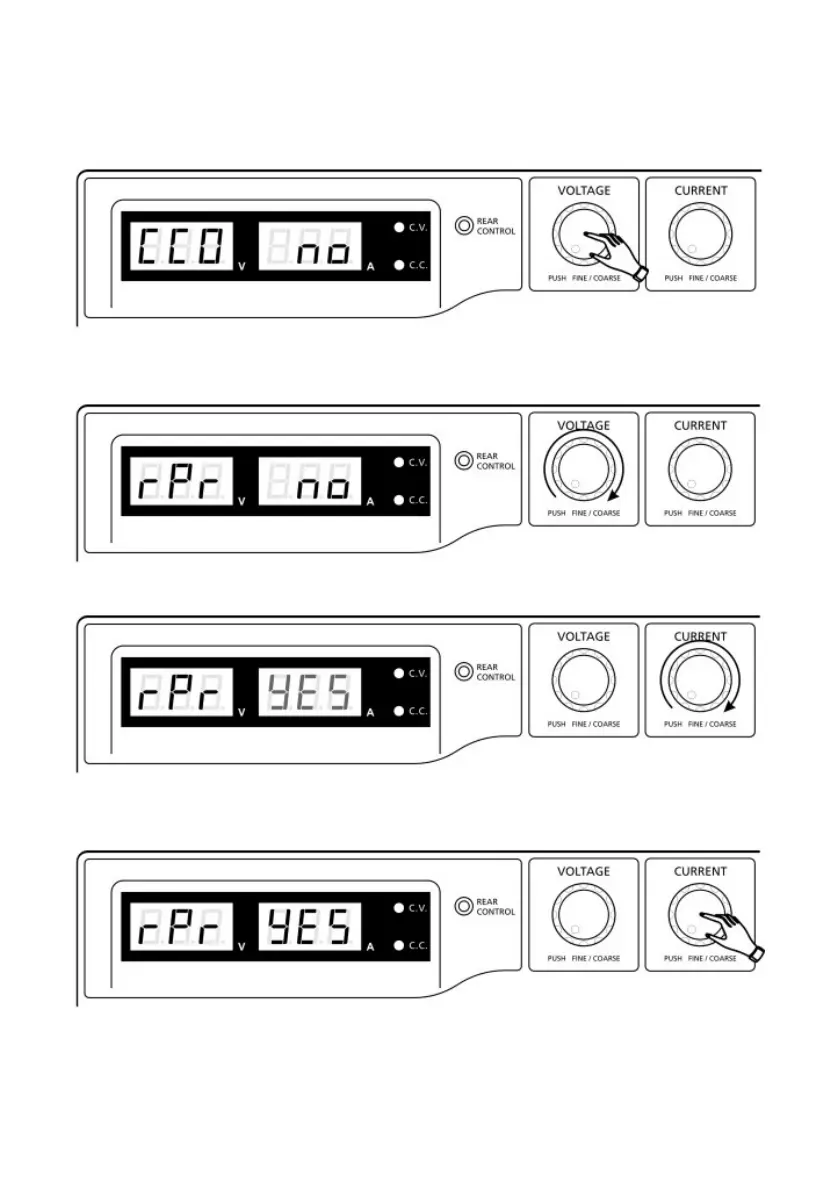
To reset presets to factory settings
1. Press and hold the Voltage Control Knob for 30s to enter Menu mode.
2. When it is showing “CCO”, rotate the Voltage Control Knob until voltage
meter shows “rPr”.
3. Then rotate the Current Control Knob until the current meter shows “YES”.
4. Press the Current Control Knob once to confirm. The “YES” will light up after
successfully resetting presets to factory default values.
Test Equipment Depot - 800.517.8431 - 99 Washington Street Melrose, MA 02176
TestEquipmentDepot.com










 To Next Page