EasyManua.ls Logo

BK Precision 1685B - User Manual

BK Precision 1685B
41 pages
Print Icon
To Next Page IconTo Next Page
Loading...
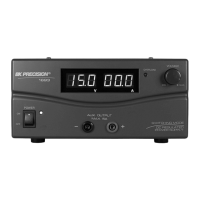
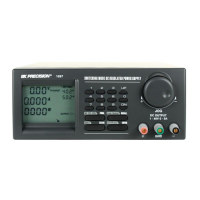
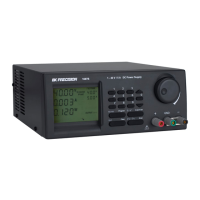
Model 1685B, 1687B, 1688B
Switching DC Power Supply
INSTRUCTION MANUAL
99 Washington Street
Melrose, MA 02176
Phone 781-665-1400
Toll Free 1-800-517-8431
Visit us at www.TestEquipmentDepot.com

Other manuals for BK Precision 1685B

Questions and Answers

  • R
    Richard ClarkAug 2, 2025
    What to do if BK Precision 1685B shows overtemperature protection warning?
    • L
      Laura MartinezAug 2, 2025
      To address an overtemperature protection warning on your BK Precision Power Supply, first, turn off the unit and disconnect all loads. Examine both your load and output settings. Allow the unit to cool down for a minimum of 30 minutes. Ensure that the ventilation is unobstructed and that the power supply has sufficient clearance. Upon restarting the unit, listen for the cooling fan's self-test noise. If this sound is absent, it indicates fan failure, and the power supply should not be used.
  • H
    Hailey SimpsonAug 9, 2025
    What to do if BK Precision 1685B Power Supply displays overload protection warning?
    • K
      Kathryn BerryAug 9, 2025
      To clear the overload protection warning on your BK Precision Power Supply, turn the unit off, disconnect all connected devices, and then turn it back on. Exercise caution and double-check all settings after restarting.
  • A
    Angela DavisAug 17, 2025
    How to reset overvoltage protection warning on BK Precision 1685B Power Supply?
    • N
      Nicholas RogersAug 17, 2025
      To resolve an overvoltage protection warning on your BK Precision Power Supply, switch off the unit and disconnect all connected devices. Then, switch the unit back on; it should return to normal operation.
  • P
    Paul BaileyAug 25, 2025
    What to do if fuse blown in BK Precision 1685B Power Supply?
    • J
      Joseph WilliamsAug 26, 2025
      To address a blown fuse in your BK Precision Power Supply, first, identify and fix the underlying cause that led to the fuse blowing. Then, replace the blown fuse with a new fuse that has the correct rating.

Summary

Safety Summary

Grounding and Environmental Safety

Covers grounding, explosive atmospheres, and avoiding live circuits for safe operation.

Service and Modification Precautions

Advises against solo service and unauthorized modifications, emphasizing qualified personnel.

Operating Instructions

General Operating Safety Precautions

Lists essential safety guidelines for operating the power supply in various conditions.

Using the Power Supply - Connection

Step-by-step guide for connecting the power supply to mains and load.

Remote Control

Analog Remote Control Setup

Steps to prepare and connect the remote control connector for analog control.

Analog Control using DC Voltage Sources

Using external variable DC voltage sources to control output voltage and current.

Analog Control using Variable Resistors

Using 5 kΩ variable resistors for analog remote control of output.

PC Interface Control

PC Software External Timed Program

Using the PC software to create and run timed output programs.

PC Software Internal Preset Memory

Managing and setting internal presets remotely using the PC software.

PC Software Data Log Function

How to view and log output data using the PC software.

Remote Control Command Set

Details the command syntax and communication settings for remote control.

Remote Command Line Format

Explains the format for commands sent to the power supply.

Faults and Troubleshooting

Overvoltage Protection (OVP)

Describes the OVP feature, warning, and reset procedure.

Overtemperature Protection (OTP)

Explains the OTP feature, warning, and checks for fan operation.

Limited Two-Year Warranty

BK Precision 1685B Specifications

General IconGeneral
BrandBK Precision
Model1685B
CategoryPower Supply
LanguageEnglish

Related product manuals