CREATING AND EDITING WAVEFORMS
Create waveforms by loading waveform data from a text file or by using the graphical tools of this
Software.
Working with text files
Waveforms can be imported to or exported from a text file with the following format:
The first line contains the number of data points, the consecutive lines the Y axis value of the
sampling points.
Example wave1.txt:
8 (Line 1:length of the waveform)
-0.666 (Line 2:waveform value of point 0)
-0.555 (Line 3:waveform value of point 1)
-0.111 (Line 4:waveform value of point 2)
0.001 (Line 5:waveform value of point 3)
0.123 (Line 6:waveform value of point 4)
0.235 (Line 7:waveform value of point 5)
0.378 (Line 8:waveform value of point 6)
0.654 (Line 9:waveform value of point 7)
Only use text editors such as NOTEPAD to create or edit this file.
Saving and opening text files
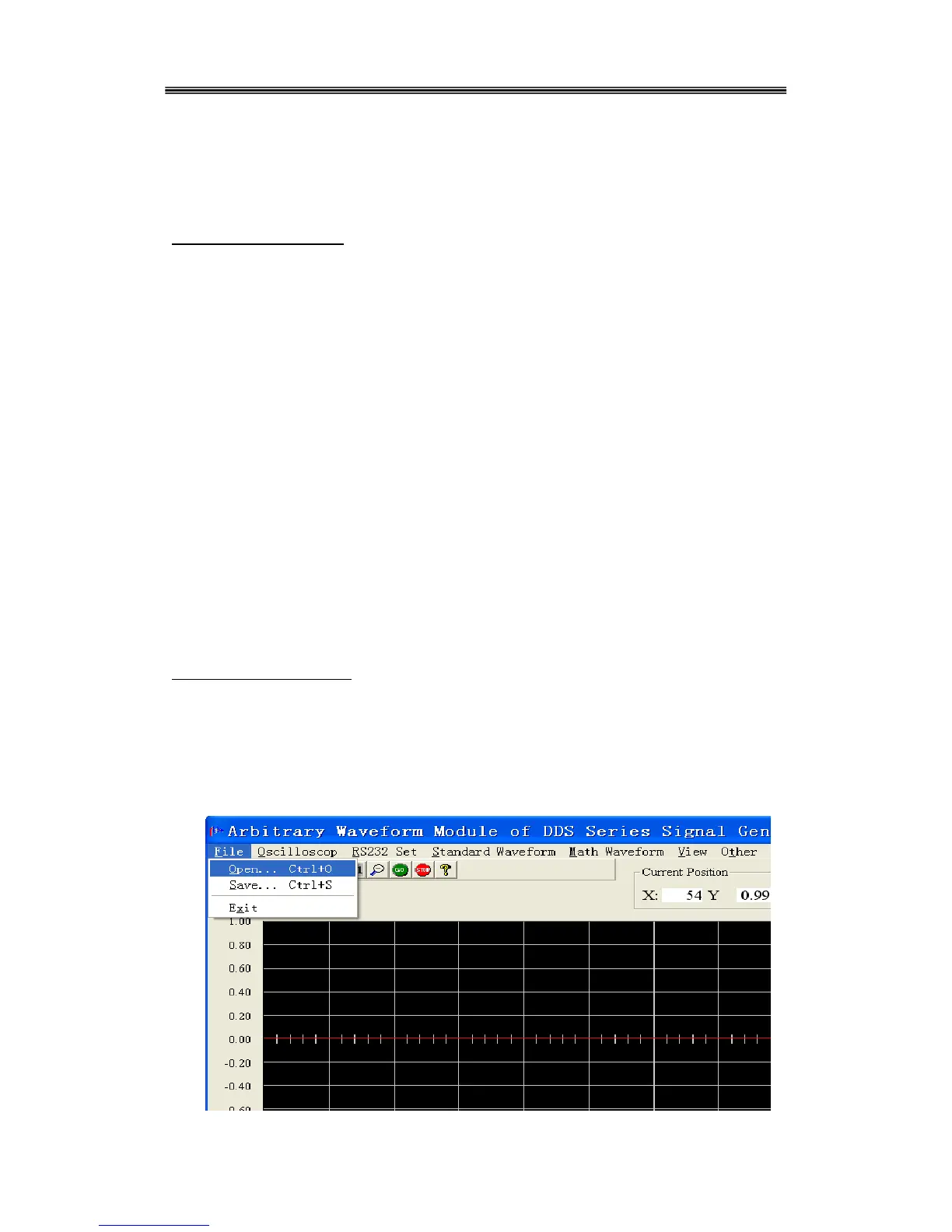
To save the current waveform as a text file, Select File>Save to and enter a filename. To import
waveform data, select “Open” from the File menu. The waveform data will be automatically
displayed in the editing window.



 To Next Page