Working with graphical tools
Waveform Parameters
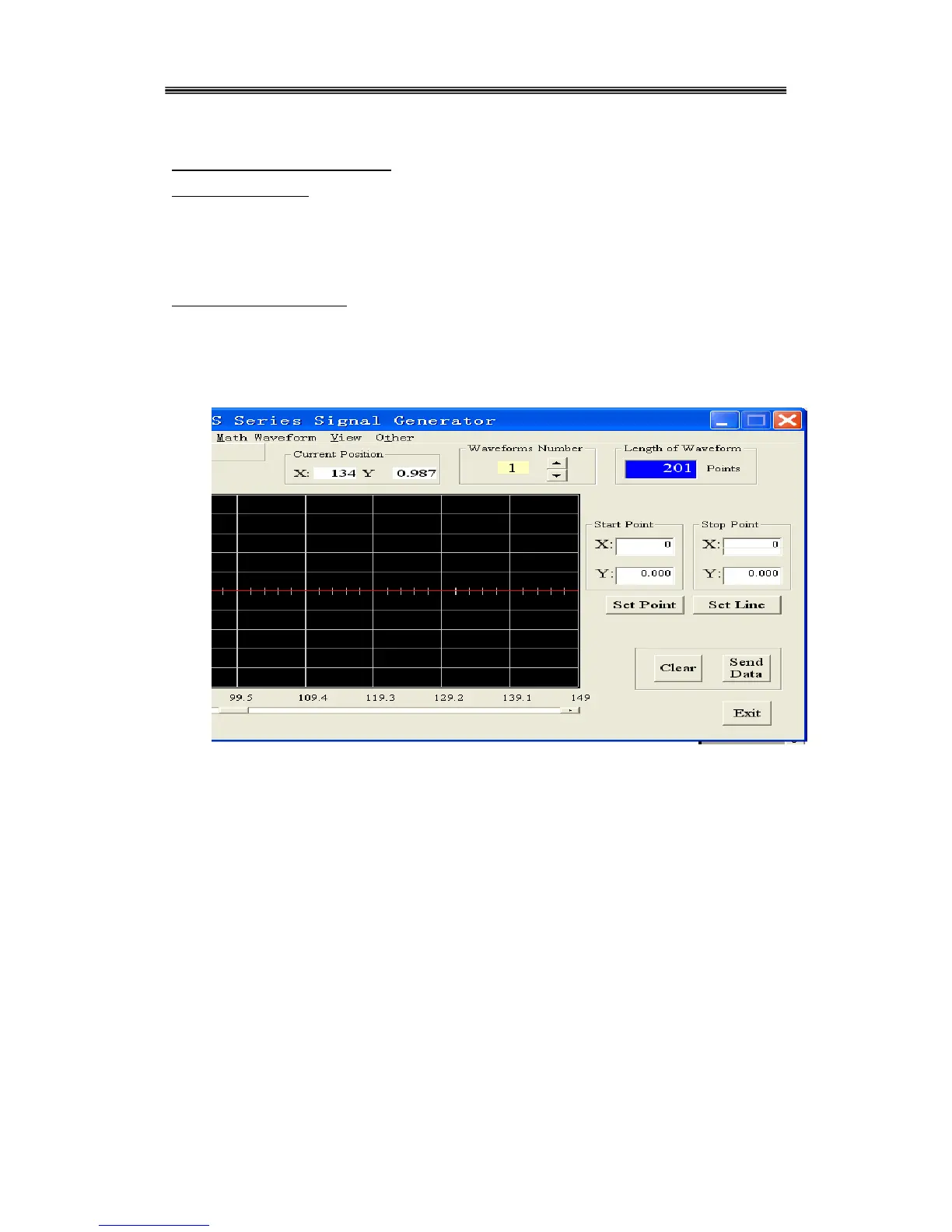
The waveform parameters are represented in the following format: Values of the vertical axis (Y)
are normalized to -1.000 ~ 1.000. Values of the horizontal axis (X axis) are 0 ~ length of waveform
minus 1.
Setting the number of points
The waveform length can be set as required. Input the required number of points in the waveform
setup area then press ENTER. The X-axis will be updated accordingly. The minimum number of
points is 8, the maximum number is 16000.



 To Next Page