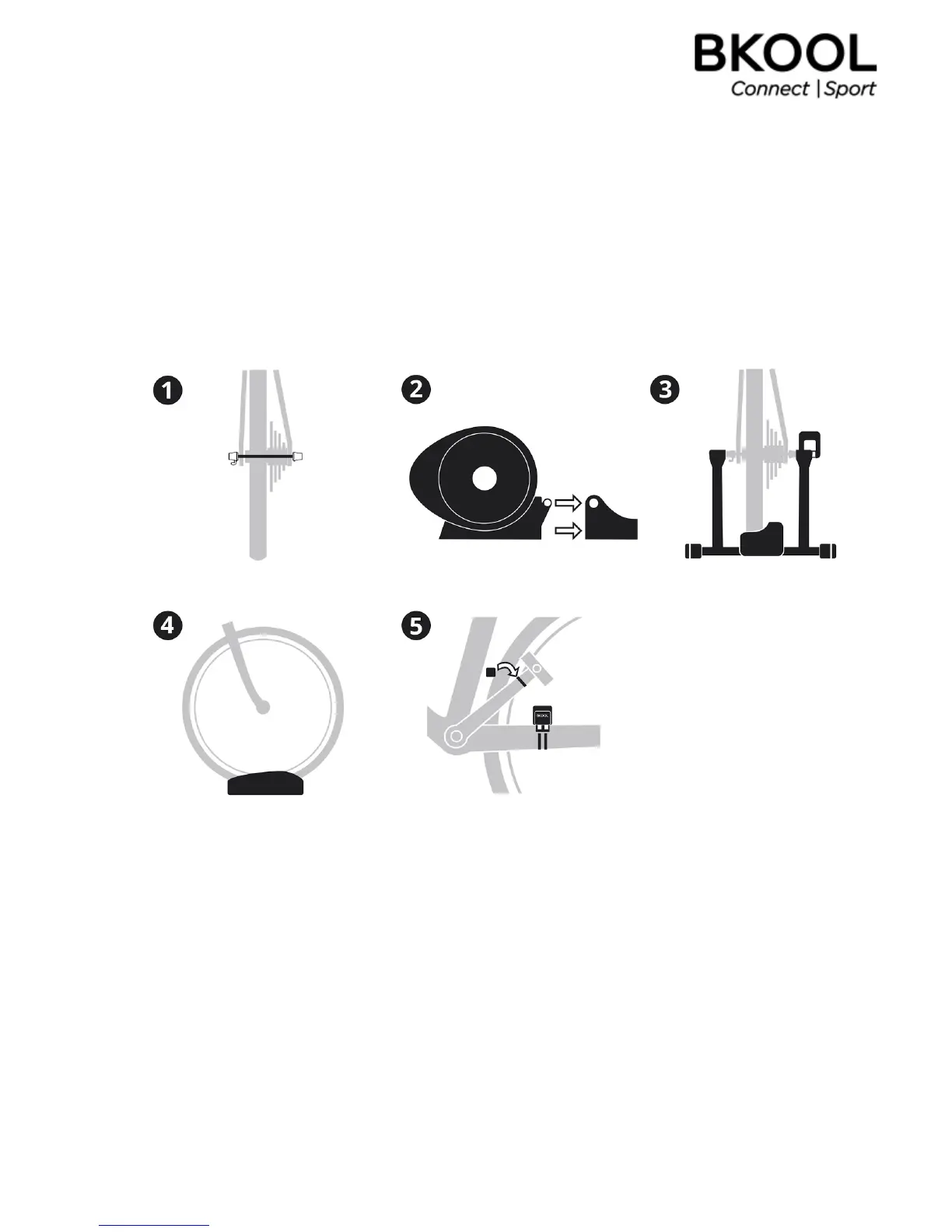
2. Attach the roller to the base, ensuring correct attachment (only for
thePromodel).
3.Placetherearwheelbetweenthetrainer'sarmsandfastenthemwiththequickrelease.
4.Placethefrontwheelonthesupport.
5.Installthecadencesensor(onlyfortheClassicmodel).
Install the magnet. Place it on the inside of the crank arm on your bike, about 2.5 cm away from
thepedal.Secureitinplacewiththetie.
Install the cadence sensor. Attach it to the left chain stay such that when you move the pedals,
the magnet passes in front of the cadence sensor. The side with Bkool on it should face the
magnet.Securethesensorinplacewiththeties.


 To Next Page