1.4PRIORTOYOURFIRSTSESSION
1.4.1 Register. If you're not registered at bkool.com, do so now. You will need the same email and
passwordfromyourregistrationtoaccesstheBkoolSimulator.
1.4.2 Download the Bkool Indoor simulator from the download area at bkool.com. The
simulatoriscompatiblewithPC,Macandtablets(AndroidandiOS).
1.4.3 Activate your coupon. If you have a discount coupon for Bkool Premium now is the time to
activateit.Enteryourcodeinthestore'scouponsection.
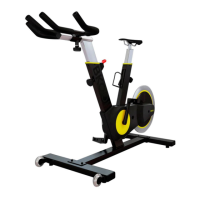
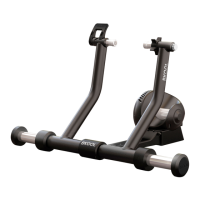
1.4.4SetupyourBkoolsystemaccordingtotheillustrationsyouhaveonthispage.
1.4.5Pluginthetrainer.
1.4.6 Connect the ANT+ USB to wirelessly connect the simulator's different devices. Connect it
toyourPC,Mac,ortablet.Pleasenotethatifyouuseatabletyouwillneedanadditionaladapter.
1.4.7 Pairing other ANT+ devices. This is the time to activate other devices you want to use,
such as a heart rate monitor or cadence sensor. Please note that these devices are not included in
theBkoolkit.
1.5YOURFIRSTSESSION
Access the simulator with the same email address and password with which you registered at
www.bkool.com.Onceinside,selectasessionandstartpedaling!


 To Next Page