6
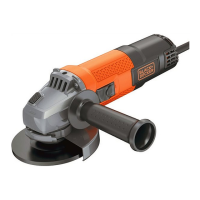
Fitting the side handle
◆ Screw the side handle (2) into one of the mounting holes
in the tool.
Warning! Always use the side handle.
Fitting and removing grinding or cutting discs (fig. C - E)
Always use the correct type of disc for your application.
Always use discs with the correct diameter and bore size
(see technical data).
Fitting
◆ Fit the guard as described above.
◆ Place the inner flange (10) onto the spindle (5) as shown
(fig. C). Make sure that the flange is correctly located on
the flat sides of the spindle.
◆ Place the disc (11) onto the spindle (5) as shown (fig. C).
If the disc has a raised centre (12), make sure that the
raised centre faces the inner flange.
◆ Make sure that the disc locates correctly on the inner flange.
◆ Place the outer flange (13) onto the spindle. When fitting
a grinding disc, the raised centre on the outer flange must
face towards the disc (A in fig. D). When fitting a cutting
disc, the raised centre on the outer flange must face away
from the disc (B in fig. D).
◆ Keep the spindle lock (3) depressed and tighten the outer
flange using the two-pin spanner (14) (fig. E).
Removing
◆ Keep the spindle lock (3) depressed and loosen the outer
flange (13) using the two-pin spanner (14) (fig. E).
◆ Remove the outer flange (13) and the disc (11).
Fitting and removing sanding discs (fig. E & F)
For sanding, a backing pad is required. The backing pad is
available from your Black & Decker dealer as an accessory.
Fitting
◆ Place the inner flange (10) onto the spindle (5) as shown
(fig. F). Make sure that the flange is correctly located on
the flat sides of the spindle.
◆ Place the backing pad (15) onto the spindle.
◆ Place the sanding disc (16) onto the backing pad.
◆ Place the outer flange (13) onto the spindle with the
raised centre facing away from the disc.
◆ Keep the spindle lock (3) depressed and tighten the outer
flange using the two-pin spanner (14) (fig. E). Make sure
that the outer flange is fitted correctly and that the disc is
clamped tightly.
Removing
◆ Keep the spindle lock (3) depressed and loosen the outer
flange (13) using the two-pin spanner (14) (fig. E).
◆ Remove the outer flange (13), the sanding disc (16) and
the backing pad (15).
Use
Warning! Let the tool work at its own pace. Do not overload.
◆ Carefully guide the cable in order to avoid accidentally
cutting it.
◆ Be prepared for a stream of sparks when the grinding or
cutting disc touches the workpiece.
◆ Always position the tool in such a way that the guard
provides optimum protection from the grinding or cutting
disc.
Switching on and off
◆ To switch on, slide the on/off switch (1) forward. Note that
the tool will continue running when you release the switch.
◆ To switch off, press the rear part of the on/off switch.
Warning! Do not switch the tool off while under load.
Hints for optimum use
◆ Firmly hold the tool with one hand around the side handle
and the other hand around the main handle.
◆ When grinding, always maintain an angle of approx. 15°
between the disc and the workpiece surface.
Maintenance
Your tool has been designed to operate over a long period of
time with a minimum of maintenance. Continuous satisfactory
operation depends upon proper tool care and regular cleaning.
Warning! Before performing any maintenance, switch off and
unplug the tool.
◆ Regularly clean the ventilation slots in your tool using
a soft brush or dry cloth.
◆ Regularly clean the motor housing using a damp cloth.
Do not use any abrasive or solvent-based cleaner.
Mains plug replacement (U.K. & Ireland only)
If a new mains plug needs to be fitted:
◆ Safely dispose of the old plug.
◆ Connect the brown lead to the live terminal in the new plug.
◆ Connect the blue lead to the neutral terminal.
Warning! No connection is to be made to the earth terminal.
Follow the fitting instructions supplied with good quality
plugs. Recommended fuse: 5 A.





 To Next Page