EasyManua.ls Logo

Black & Decker BAPT01 - User Manual

Black & Decker BAPT01
47 pages
Print Icon
To Next Page IconTo Next Page
Loading...
INSTRUCTION MANUAL
Thank you for choosing BLACK+DECKER!
PLEASE READ BEFORE RETURNING THIS PRODUCT FOR
ANY REASON.
If you have a question or experience a problem with your BLACK+DECKER
purchase, go to www.blackanddecker.com/instantanswers
If you can’t find the answer or do not have access to the Internet, call
844-299-0879 from 10:30 a.m. to 6:30 p.m. EST Mon. - Fri. to speak with an
agent. Please have the catalog number available when you call.
SAVE THIS MANUAL FOR FUTURE REFERENCE.
CATALOG NUMBER
BAPT01
BAPT02
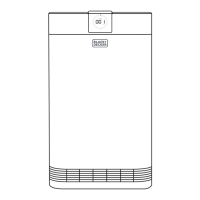
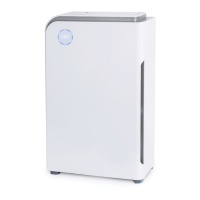
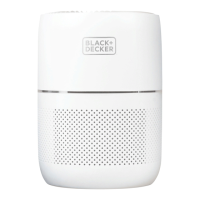
Tabletop Air Purifier

Questions and Answers

  • A
    andersonharoldJul 27, 2025
    How to improve poor air purification in my Black & Decker BAPT01 Air Cleaner?
    • A
      Andrew DyerJul 28, 2025
      Poor air purification in your Black & Decker Air Cleaner can occur if airflow is obstructed around the unit, so make sure nothing is blocking it. Another reason could be that the air purifier is set to a low speed; try setting it to a higher speed. Finally, the filter may need to be replaced.
  • R
    Rachel DuranJul 31, 2025
    What to do if REPLACE FILTER light is still on after replacing the filter in my Black & Decker Air Cleaner?
    • C
      Cindy ArmstrongJul 31, 2025
      If the REPLACE FILTER light remains on after replacing the filter in your Black & Decker Air Cleaner, it means that the filter wasn't installed correctly, or the filter wasn't reset by pressing the REPLACE FILTER button. Ensure the filter is correctly installed, removing the plastic bag. After installing the filter, press the REPLACE FILTER indicator light for 3 seconds to reset it.
  • J
    jessegreenAug 5, 2025
    Why is my Black & Decker BAPT01 Air Cleaner air quality indicator always red?
    • R
      Ricky PattersonAug 5, 2025
      If your Black & Decker Air Cleaner's air quality indicator remains red, it could be due to a nearby pollution source, such as someone smoking. After running the air purifier for a while, the indicator should turn blue or green as the air quality improves. Alternatively, the particle sensor might be clogged with dust or debris. Try wiping the particle sensor to clear any obstructions.
  • E
    Erin HarrellAug 9, 2025
    What to do if my Black & Decker Air Cleaner beeps?
    • A
      Ann GayAug 9, 2025
      Your Black & Decker Air Cleaner beeping usually indicates that the filter needs replacing. Alternatively, the filter might not have been installed properly. Ensure the filter is correctly installed, removing the plastic bag first. After installing the filter, press the REPLACE FILTER indicator light for 3 seconds to reset the system.
  • T
    taylordarrenAug 14, 2025
    Why is my Black & Decker BAPT01 Air Cleaner so noisy?
    • E
      Eric McdonaldAug 14, 2025
      A noisy Black & Decker Air Cleaner could be due to something obstructing the fan or an object inside the unit. Remove any foreign objects you find. Also, ensure that the plastic packaging has been removed from the filter and that the filter is installed on a firm, level surface.
  • J
    Jessica ChungAug 18, 2025
    Why won't my Black & Decker BAPT01 Air Cleaner turn on?
    • W
      William BellAug 18, 2025
      If your Black & Decker Air Cleaner isn't turning on, the first thing to check is the power connection. Make sure the AC Power Adapter is properly connected to the air purifier and plugged into a working outlet.
  • B
    Brenda PerezAug 22, 2025
    What to do if the fan does not work in my Black & Decker Air Cleaner?
    • M
      Michelle WongAug 22, 2025
      If the fan in your Black & Decker Air Cleaner isn't working, something might be obstructing it, such as packing material that wasn't removed. Ensure nothing is blocking the fan and that all packing material has been removed from the unit and the filter.

Summary

Safety Information

Important Safety Instructions

Covers essential safety precautions, including general warnings and specific usage guidelines for the air purifier.

Operating Condition

Specifies the recommended temperature and humidity ranges for optimal air purifier performance.

Set Up & Use

Parts & Features

Identifies and illustrates the various components and features of the air purifier unit.

Operating Instructions

Provides step-by-step guidance on how to set up and begin using the air purifier for the first time.

Control Panel

Details the functions and operation of the control panel buttons and indicators for Model BAPTO1.

Control Panel

Details the functions and operation of the control panel buttons and indicators for Model BAPTO2.

Air Quality Indicator Lights

Explains the function and color meanings of the air quality indicator lights on Model BAPTO2.

Optional Aromatherapy

Describes how to use the aromatherapy sponges for adding fragrance to the air.

Cleaning and Maintenance

Provides instructions on how to clean the air purifier exterior and perform basic maintenance tasks.

Filter Installation

Guides the user through the process of removing and installing the air purifier filter.

Replacement Filter

Information on identifying and purchasing the correct replacement filter for the air purifier.

Storage

Instructions for properly storing the air purifier when not in use for an extended period.

Troubleshooting & Warranty

Troubleshooting

A chart listing common problems, their possible causes, and recommended solutions for the air purifier.

Specifications

Lists the technical specifications of the air purifier, including voltage, dimensions, and weight.

Before You Call for Service

Steps to take before contacting customer service for appliance issues, including basic checks.

Limited Warranty

Details the warranty terms, coverage, exclusions, and how to obtain service for the product.

Black & Decker BAPT01 Specifications

General IconGeneral
BrandBlack & Decker
ModelBAPT01
CategoryAir Cleaner
LanguageEnglish

Related product manuals