
 Need help?
Do you have a question about the Black & Decker BXSH37006GB and is the answer not in the manual?
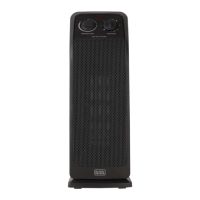
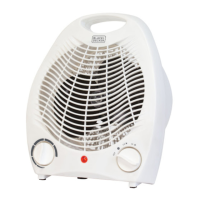
Dial used to regulate the room temperature by controlling the heater's on/off cycles.
Dial used to adjust the heat output or fan mode settings of the appliance.
An indicator light that shows when the appliance is powered on and operating.
Openings on the appliance designed for air intake and outlet.
This appliance is designed for indoor household use only in small and medium spaces.
Read all safety warnings and instructions carefully to prevent electric shock, fire, or serious injury.
Follow instructions for safe operation, including voltage checks, placement, and avoiding overheating.
Guidelines for supervising children and their interaction with the appliance.
Ensure close supervision when the appliance is used by or near children and pets.
Prevent the cord from becoming twisted or coming into contact with children.
Do not use wet cloths or water for cleaning to prevent short circuits or electric shock.
Only qualified service agents should perform dismantling, repair, or cable replacement.
Stop using immediately if a fault develops and seek manufacturer advice for repairs.
Install on flat, hard surfaces. Operate on stable surfaces, not hot ones.
Do not immerse parts in water, use near open windows, place heavy objects, or insert objects.
Keep away from heat-generating devices and flammable materials.
Check mains voltage matches the rating plate and ensure the product is earthed.
Use matching appliance plugs and outlets. Do not use adapter plugs with earthed appliances.
To avoid electric shock, do not immerse the cord, plug, or appliance in water or other liquid.
Use a 3-core cable suitable for the appliance's power. Ensure cord replacement is done by qualified personnel.
Pictograms indicating 'Hot surface', 'Do not cover', and assembly precautions.
Details on Thermostat Control Dial and Power Control Dial usage.
Explanation of available heat settings (low, high) and cooling fan mode.
Steps to safely turn the unit on and off by connecting/disconnecting to the power socket.
Information about a normal smell emitted on first use or after long periods of disuse.
Instructions on how to set and adjust the thermostat for optimal room temperature.
Explanation of the safety device that switches off the heater due to overheating.
Procedure to reset the heater after the automatic cut-off has been activated.
Guidelines for cleaning the appliance safely without damage.
Instructions for fitting a new plug, including wiring and fuse rating.
Warning that plug replacement is for authorized service centre persons only.
Instructions for separate collection and recycling of electrical products and batteries.
Details on input voltage, frequency, power input, and weight.
Information on the 2-year guarantee, conditions, and customer service contact details.
Specifications for nominal, minimum, and maximum heat output.
Details on various room temperature control methods available for the appliance.
 General
| Model | BXSH37006GB |
|---|---|
| Power | 2000W |
| Heat settings | 2 |
| Thermostat | Yes |
| Cool air function | Yes |
| Overheat protection | Yes |
| Tip-over switch | Yes |
| Cool Touch Exterior | Yes |
| Carry Handle | Yes |
| Cable Storage | Yes |


 To Next Page