EasyManua.ls Logo

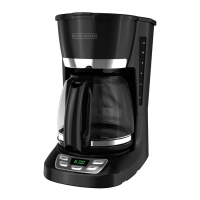
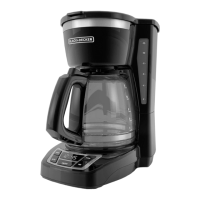
Black & Decker CM1010B - User Manual

Black & Decker CM1010B
19 pages
Print Icon
To Next Page IconTo Next Page
Loading...








COFFEEMAKER
CAFETERA

Care
















Questions and Answers

  • S
    Scott KennedyAug 10, 2025
    Why my Black & Decker Coffee Maker does not turn on?
    • J
      Joshua RomeroAug 10, 2025
      If your Black & Decker Coffee Maker isn't turning on, the most likely cause is that it's not properly plugged in. Ensure the appliance is connected to a working outlet and that the ON/OFF button is switched ON.
  • P
    Paul HillAug 16, 2025
    Why there are grounds in brewed coffee from my Black & Decker CM1010B?
    • M
      Miranda ReedAug 16, 2025
      If you find grounds in your brewed coffee from the Black & Decker Coffee Maker, it's likely that the filter or filter basket isn't correctly placed. Insert a paper liner or nylon mesh filter into the filter basket, and then properly insert the basket into the holder.
  • G
    George KnappAug 20, 2025
    Why Black & Decker CM1010B Coffee Maker brews clear water?
    • M
      michellewebsterAug 20, 2025
      If your Black & Decker Coffee Maker is brewing clear water, it's probably because there aren't enough coffee grounds in the removable filter basket. Add an adequate amount of coffee grounds to the paper or nylon mesh filter in the removable filter basket.
  • V
    Vanessa MeyerAug 25, 2025
    What to do if Black & Decker CM1010B Coffee Maker filter basket overflows?
    • R
      Rebecca MillsAug 26, 2025
      If the filter basket in your Black & Decker Coffee Maker is overflowing, it could be that the carafe is not correctly placed on the "Keep Hot" carafe plate. Remove the carafe and re-insert it so that it sits comfortably within the grooves on the "Keep Hot" carafe plate.
  • A
    Anna KramerAug 30, 2025
    What to do if my Black & Decker CM1010B Coffee Maker is leaking?
    • J
      Jillian HowardAug 30, 2025
      If your Black & Decker Coffee Maker is leaking, it could be due to overfilling the water reservoir or incorrect placement of the carafe. Ensure the water reservoir isn't filled past the MAX fill line and that the carafe is correctly positioned on the "Keep Hot" carafe plate, centered under the filter basket holder.
  • M
    markortizSep 5, 2025
    How to fix Black & Decker CM1010B filter basket that does not close?
    • E
      Elizabeth WalkerSep 5, 2025
      If the filter basket of your Black & Decker Coffee Maker doesn't close, it might not be correctly placed. Remove the filter basket and ensure it's properly seated in the holder.

Black & Decker CM1010B Specifications

General IconGeneral
BrandBlack & Decker
ModelCM1010B
Capacity10 Cups
ColorBlack
Power900 watts
Auto Shut-OffYes
ProgrammableNo
Removable FilterYes
Water Level IndicatorYes
Weight4.5 pounds
TypeCoffee Maker
FeaturesKeep Warm Function

Related product manuals