EasyManua.ls Logo

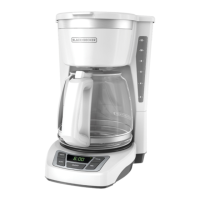
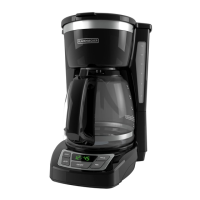
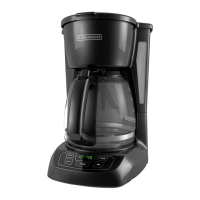
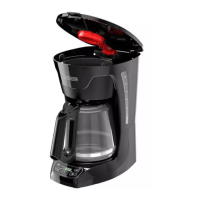
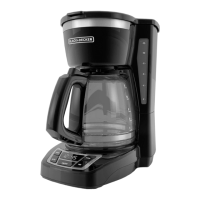
Black & Decker CM1160 - User Manual

Black & Decker CM1160
28 pages
Print Icon
To Next Page IconTo Next Page
Loading...
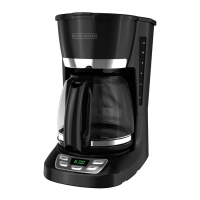
12-CUP PROGRAMMABLE
COFFEEMAKER
CAFETERA PROGRAMABLE
DE 12 TAZAS
CAFETIÈRE PROGRAMMABLE
DE 12 TASSES
CM1160
TM

Questions and Answers

  • J
    Jason ThomasJul 28, 2025
    What to do if Black & Decker Coffee Maker brew basket overflows?
    • C
      Christopher ArnoldJul 29, 2025
      If the brew basket in your Black & Decker Coffee Maker is overflowing, it could be due to a couple of reasons. If you're using the Sneak-A-Cup™ feature, make sure to replace the carafe within 30 seconds during the brewing cycle. Also, check if you're using too much coffee; try reducing the amount you use.
  • C
    Christopher EvansAug 3, 2025
    Why is my Black & Decker Coffee Maker leaking?
    • J
      Joseph VaughanAug 4, 2025
      If your Black & Decker Coffee Maker is leaking, it might be due to a few reasons. First, check if the water reservoir is overfilled; ensure it doesn't exceed the 12-cup line. Also, make sure the cover is correctly placed and tightened on the carafe. Lastly, confirm that the carafe is securely placed on the carafe plate.
  • J
    Jennifer Torres DVMAug 10, 2025
    How to fix Black & Decker CM1160 Coffee Maker that does not turn on?
    • M
      Megan TorresAug 10, 2025
      If your Black & Decker Coffee Maker isn't turning on, the most common cause is that it's not properly plugged in. Make sure the appliance is connected to a working outlet.
  • B
    Betty RossAug 16, 2025
    How to fix slow brewing Black & Decker Coffee Maker?
    • T
      Tammy KerrAug 16, 2025
      If your Black & Decker Coffee Maker is brewing slowly, it likely needs cleaning. Follow the instructions in the “Cleaning with Vinegar” section.
  • E
    elliottwilliamAug 22, 2025
    Why is there sediment in my Black & Decker Coffee Maker coffee?
    • D
      dhamiltonAug 22, 2025
      If you find coffee sediment in your brewed cup from your Black & Decker Coffee Maker, it's likely that the paper filter or the brew basket isn't properly placed. Ensure you insert a basket-shaped paper filter into the brew basket and then correctly insert the basket into the holder.

Summary

Important Safeguards

Polarized Plug and Electrical Safety

Explains safety features of the polarized plug and electrical cord for preventing shock.

Tamper-Resistant Screw Warning

Warns against removing the outer cover due to a tamper-resistant screw for safety.

Getting to Know Your Coffeemaker

Component Identification

Identifies and describes all parts of the coffeemaker, including the carafe, brew basket, and control panel.

How to Use Your Coffeemaker

Getting Started

Guides through initial setup steps, including washing parts and brewing water for cleaning.

Setting the Clock

Provides instructions on how to set the digital clock display for accurate timekeeping.

Brewing Coffee

Details the process of brewing coffee, from filling water to placing grounds and starting the brew cycle.

Sneak-A-Cup Feature

Setting Auto Brew Time

Care and Cleaning

Cleaning Instructions

Outlines how to clean the coffeemaker parts and exterior for maintenance.

Cleaning with Vinegar

Troubleshooting

Common Issues and Solutions

Lists common problems with the coffeemaker and their corresponding solutions for troubleshooting.

Warranty and Customer Service Information

Warranty Details and Service

Covers the two-year limited warranty, what it includes, exclusions, and how to obtain service.

Black & Decker CM1160 Specifications

General IconGeneral
BrandBlack & Decker
ModelCM1160
Product TypeCoffee Maker
Capacity12 cups
ColorBlack
Power900 Watts
Special FeatureProgrammable
Included ComponentsCoffee maker, Carafe
MaterialPlastic
Item Weight4.5 Pounds
Brew Strength SelectorYes
Auto Shut OffYes
Water Level IndicatorYes
Filter TypePermanent
Keep Warm FunctionYes
Carafe TypeGlass

Videos

How to Activate Clean Mode on Your Black & Decker CM1160 Coffee Maker

Related product manuals